
Skip to content

    Never miss your pet's next vaccine.

    Vaccines, meds and vet visits for all your pets, with reminders on iPhone and iPad. Free to start, no account.

    Free · iPhone & iPad · iOS 26 or later
    iPhone + iPad + Apple WatchWorks OfflineNo Account NeededUnlimited pets, free
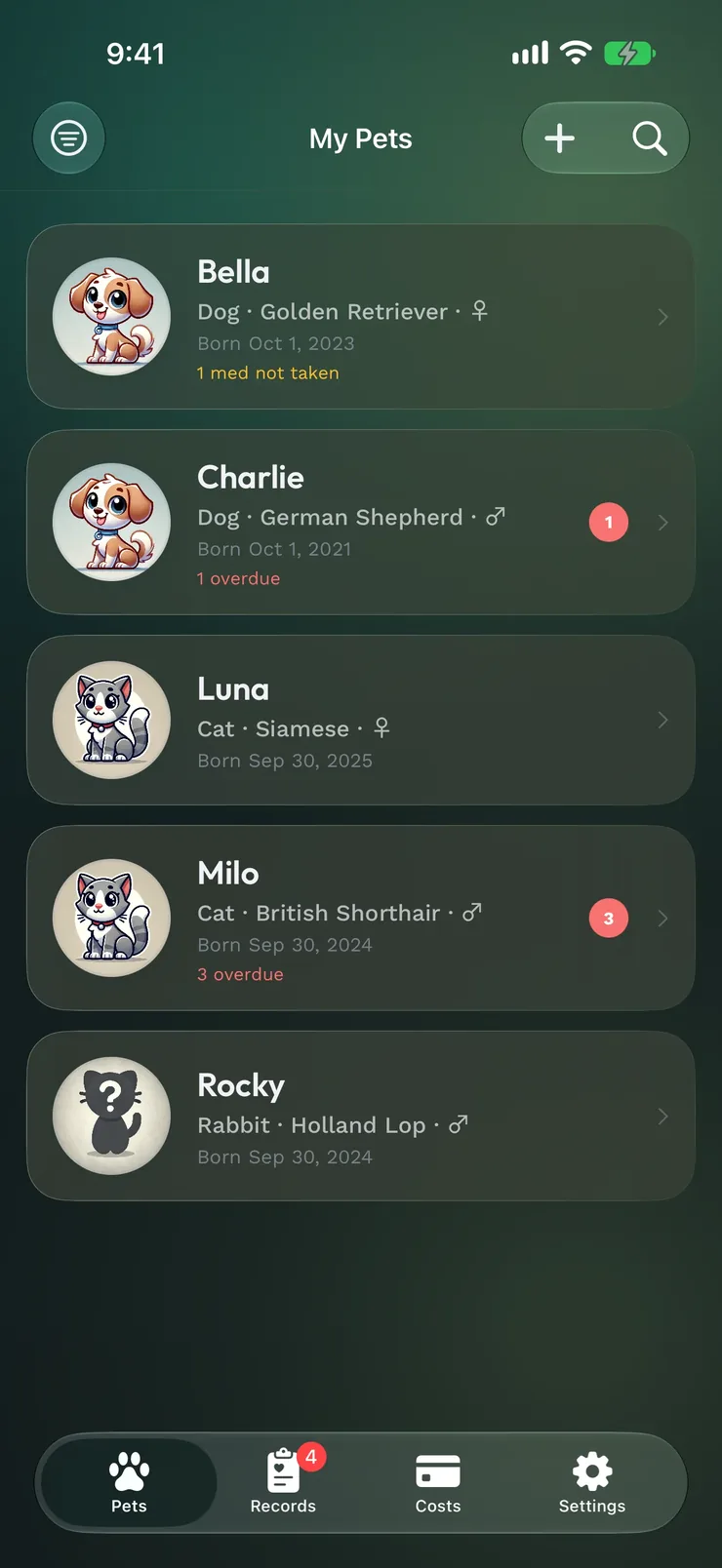
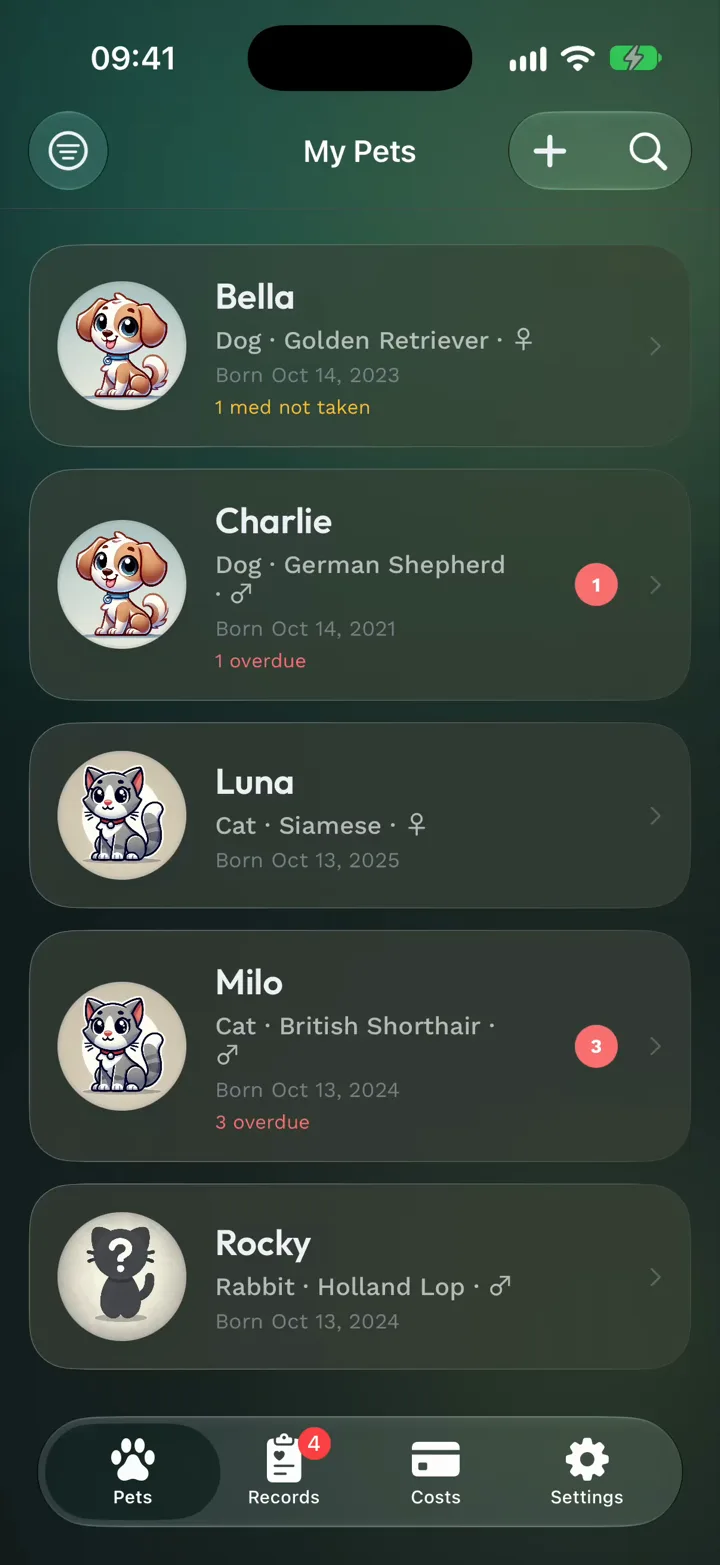
    Pet Health+ on iPhone: the pet list with what's overdue and due today for each pet

    What You Get

    From Paper Vaccine Books to a Phone That Remembers

    Log it once. Your iPhone, iPad, and Apple Watch do the remembering.
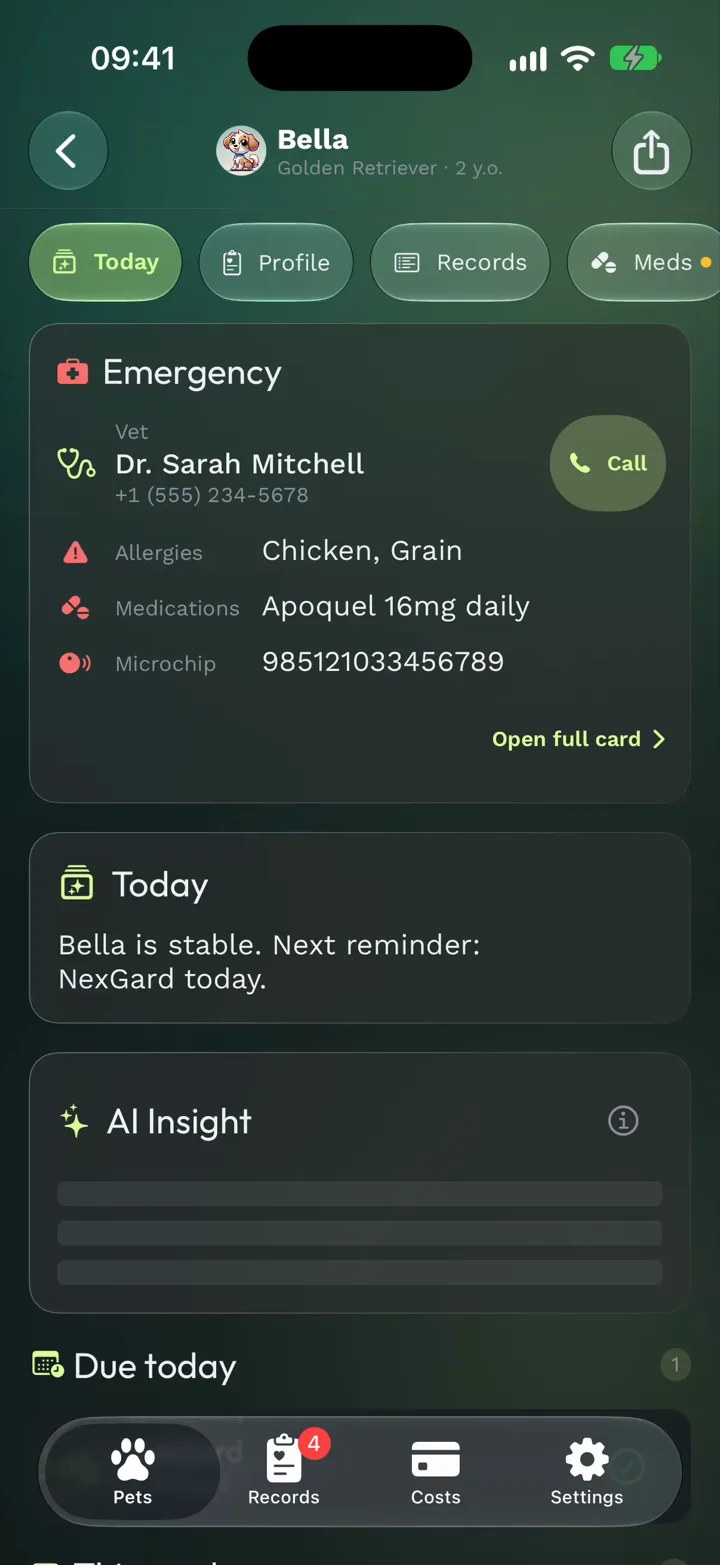
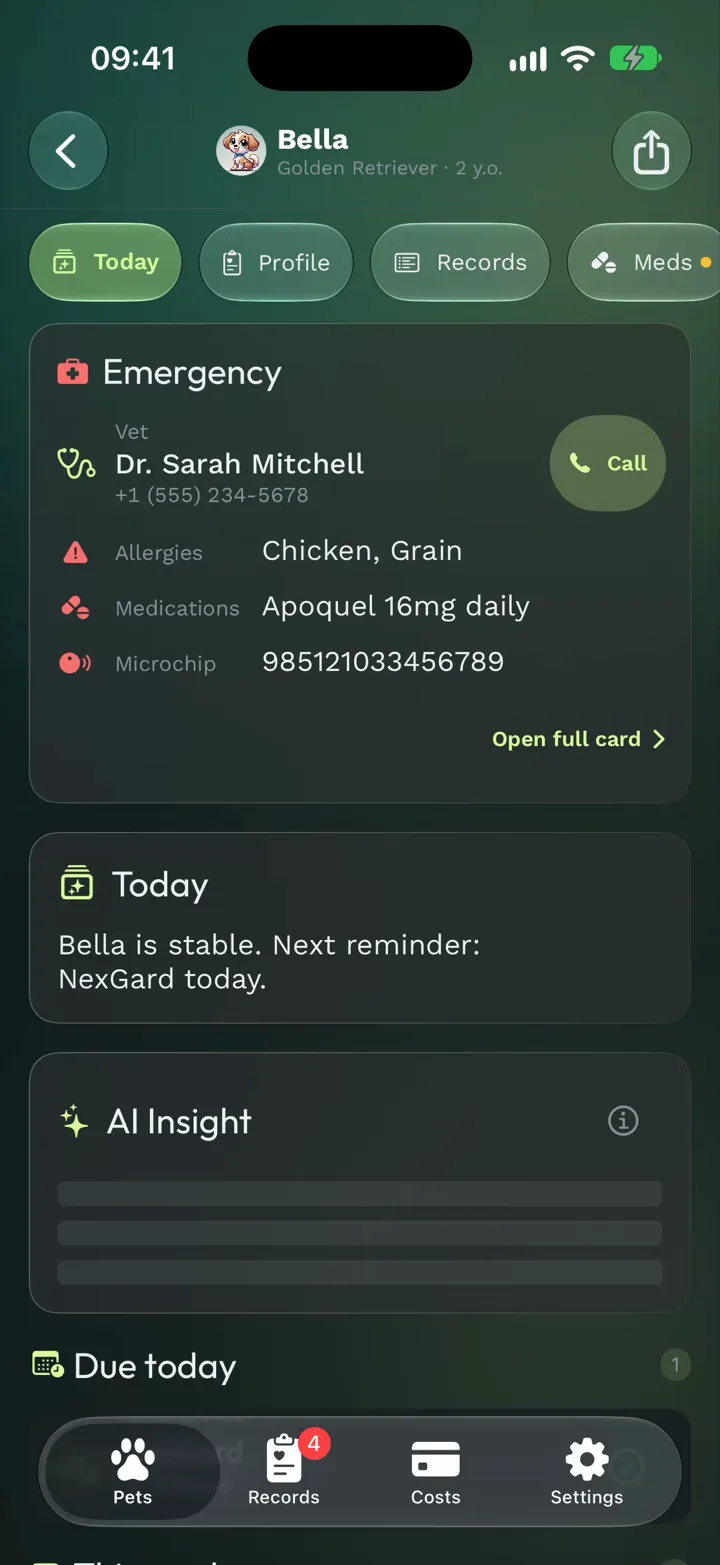
    A pet's Today tab: the Emergency card, AI Insight and what's due

    All Your Records. One Place.

    Open a pet and today comes first: what's due, what's coming this week, and the vet one tap away.
    • Vaccinations, flea & tick and heartworm treatments, procedures and daily notes — or anything custom, under your own name
    • Photo, breed, microchip, allergies, vet contact. One profile.
    • Scan a vaccination certificate: the vaccine, date and clinic fill in for you
    • Starter vaccine schedules for six countries, based on AAHA, WSAVA and other guidelines
    • The passport, insurance card and vet PDFs kept with the pet (3 documents free, more with Pro)
    • A photo album for each pet, sorted by age from its first weeks, and a Then & Now card to share (20 photos per pet free, unlimited with Pro)
    Medication tracker with today's doses and 30-day consistency

    Never Miss a Shot

    Reminders on your iPhone. With Pro, on your Apple Watch and your Home Screen too.
    • Reminders that actually fire — not calendar events you dismiss
    • Daily medications with a checklist and 30-day consistency (Pro)
    • Ask Siri for the next vaccine, what's coming up or the Emergency card — or log a weight (Pro)
    • The Focus filter lets only urgent reminders through during Sleep or Work
    • See what's overdue across every pet at a glance
    • Deleted by mistake? Undo with one tap.
    Records across all pets, with what's overdue and coming up

    Yours. On Every Device You Own.

    iPhone, iPad and Apple Watch stay in sync through your own iCloud. On Android (in testing), back up to your own Google Drive. No Pet Health+ account, and no copy of your records on our servers.

    • Sync across your Apple devices with iCloud; on Android, back up to your own Google Drive
    • Share a pet with your family — everyone stays in sync (Pro)
    • One-tap PDF for your vet or pet sitter
    • 17 languages, including RTL for Arabic and Hebrew
    • No account required — ever
    • Works on a plane. Works in the country. Works offline.
    • Back up everything to one file — automatically, with a passphrase if you like — and restore it on a new iPhone

    Across your devices

    Made for iPad, too

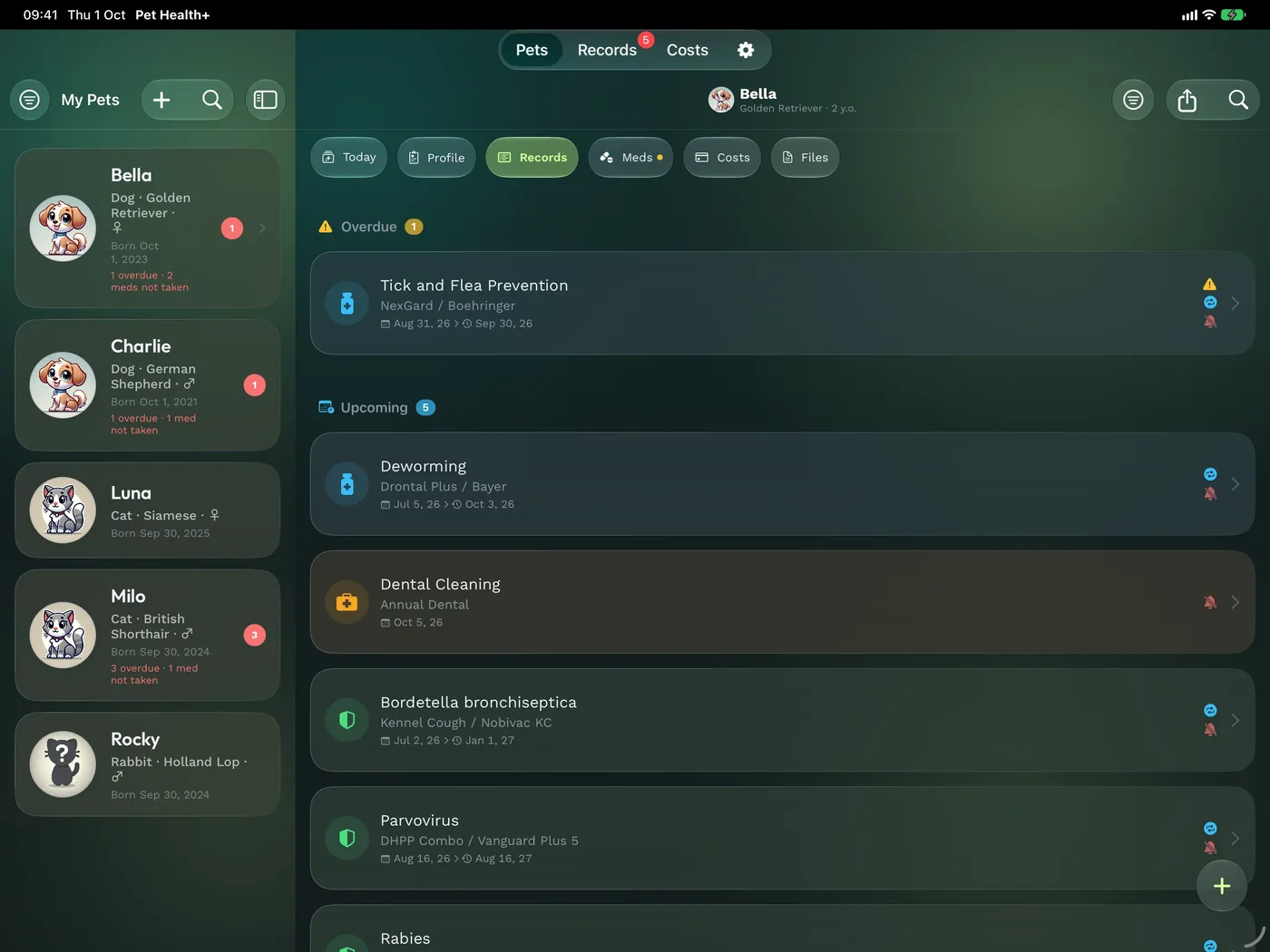
    All your pets in the sidebar and one pet's day beside it: what's due, records and costs on the big screen, in sync with your iPhone.
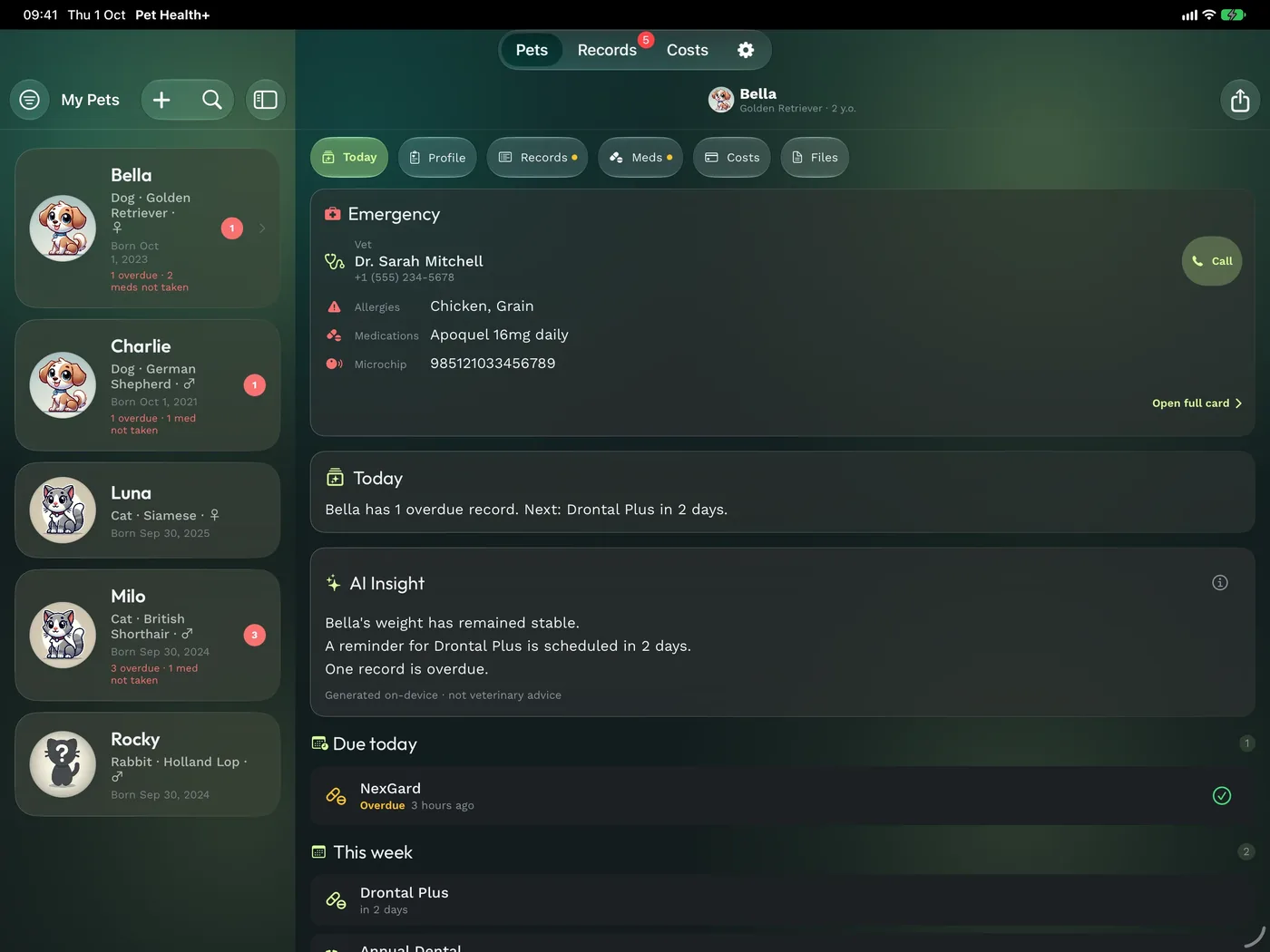
    iPad in landscape: the pet list beside Bella's Today tab, with her Emergency card, AI Insight and what's due

    New in 3.7

    Beyond the iPhone

    Your pets' day on your wrist, on your Lock Screen, on your Home Screen and in Wallet.

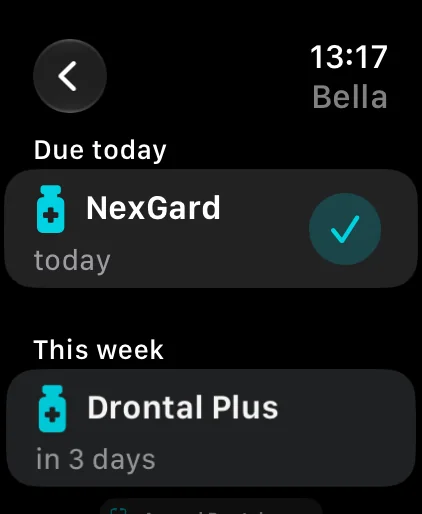
    Apple Watch: Bella's day, NexGard due today
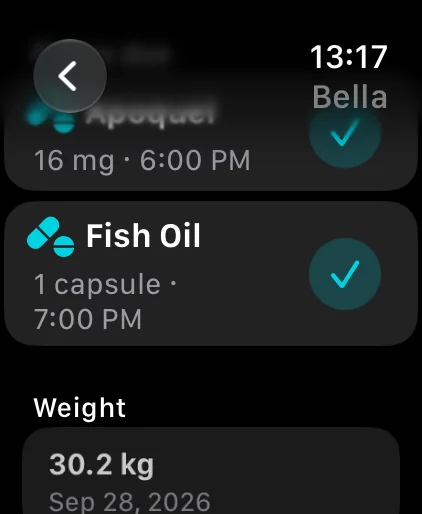
    Apple Watch: today's doses and weight
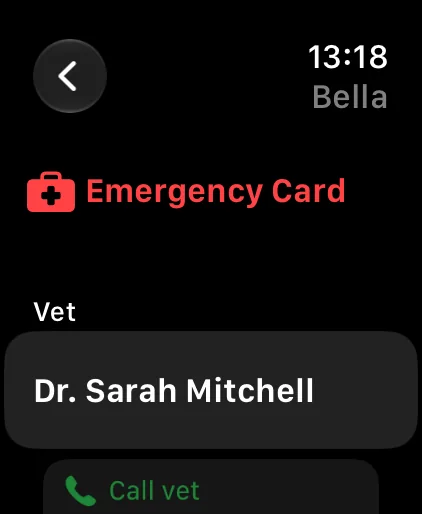
    Apple Watch: the Emergency card with the vet
    Apple Watch face with the Pet Health+ complication

    Apple Watch

    Pro

    What's due, today's doses and the Emergency card on your wrist. Mark a reminder done, log a dose or a weight, even with your iPhone out of reach. Complications and the Smart Stack too.
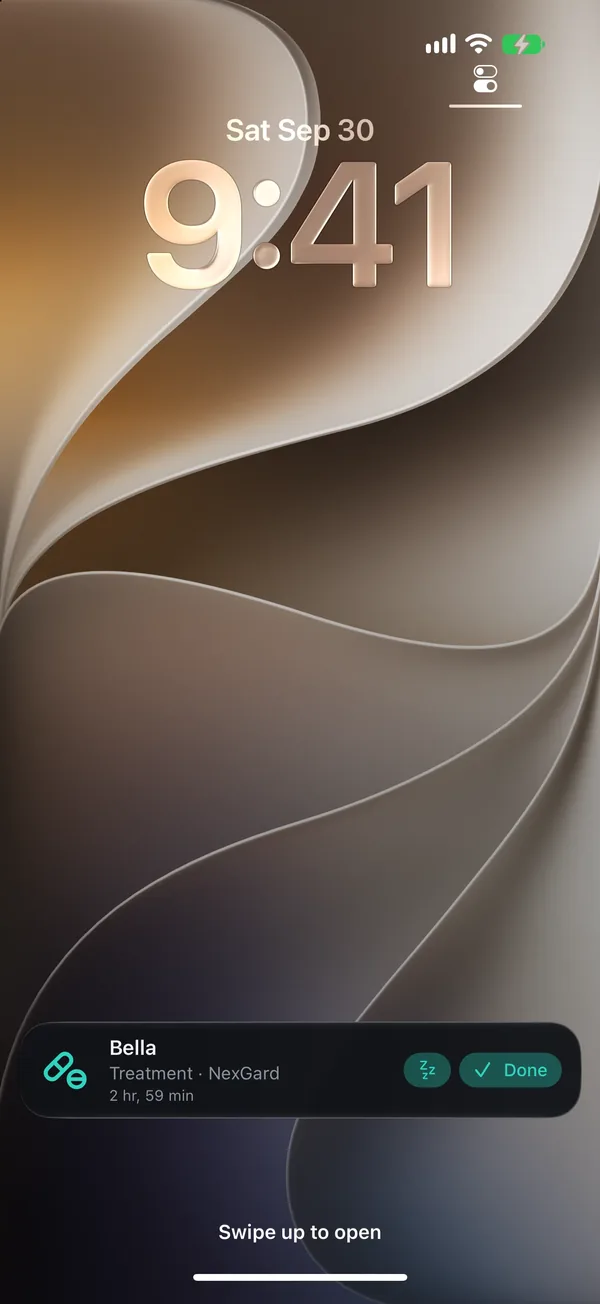
    Lock Screen with a Pet Health+ Live Activity: NexGard for Bella, with Snooze and Done

    Live Activities

    Free

    A reminder due within 24 hours waits on the Lock Screen and in the Dynamic Island with Done and Snooze, and on Apple Watch and in CarPlay. Vet visits get a card on the day.
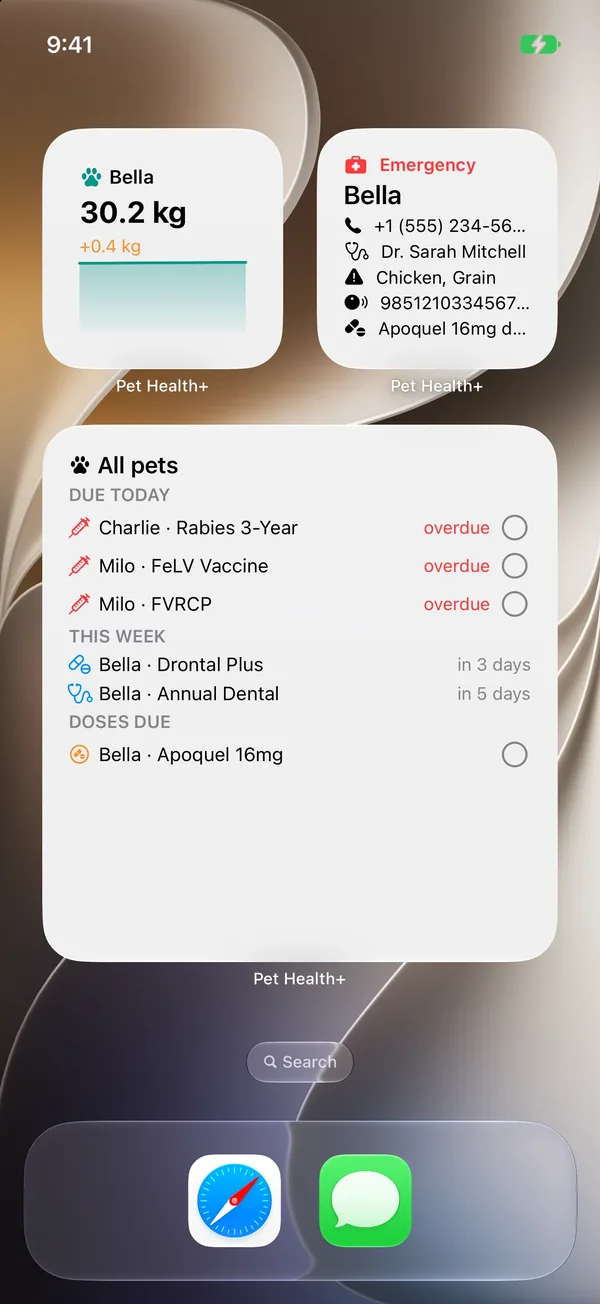
    Home Screen with the Weight Trend, Emergency Card and Today's Care widgets

    Widgets and controls

    Emergency Card free

    Today's Care, Upcoming Reminders, Weight Trend and Emergency Card widgets: mark a reminder done or log a dose right on the Home Screen. Add Log Weight and Emergency Card controls to Control Center or the Action button.

    Apple Wallet

    Pro

    Your pet's Emergency card in Wallet: vet, allergies, medications and microchip, ready at a kennel or the vet, even without the app.
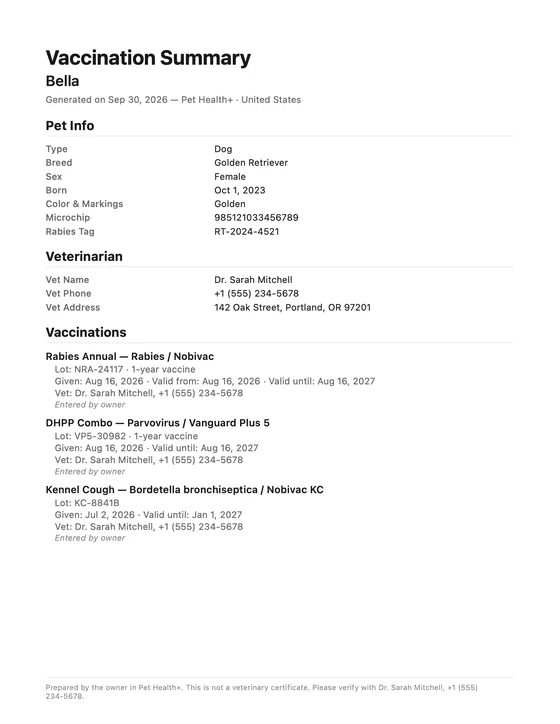
    Vaccination Summary PDF for Bella: pet info, vet and three vaccinations with lot numbers

    Vaccination Summary

    Free

    A PDF of your pet's vaccinations with lot numbers and the vet's documents attached, for a kennel, a groomer or a new vet. It's in the pet's Share menu.
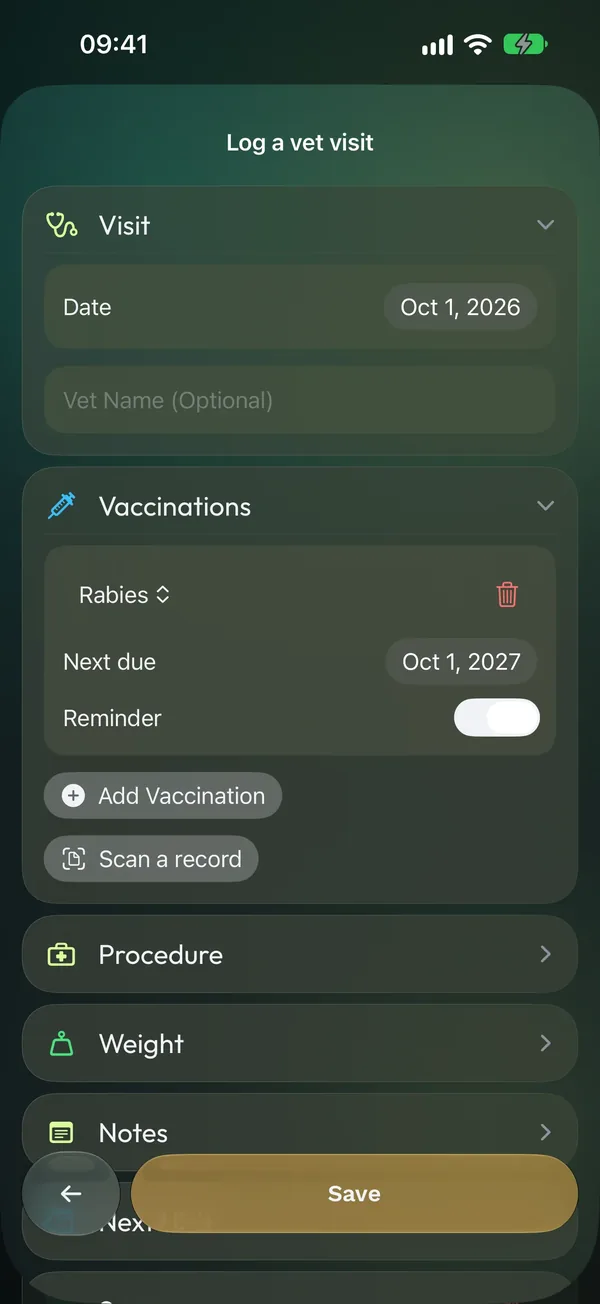
    The Log a vet visit form: the visit date and vet, a rabies vaccination with its next due date and reminder, and rows for a procedure, the weight and notes

    Log a vet visit

    3 records free

    The vaccines, a procedure, the weight and a note from one visit, saved together in one form. Three records per visit are free; the weigh-in and more come with Pro.

    Testimonials

    Simple, Easy, Perfect.

    From the App Store, word for word.

    My previous review I only gave this app 3 stars because of the scheduling in it. I tried to edit that review but couldn’t figure out how to so this is my new review. The developer responded to my review within a couple days and fixed the problem right away. That is what I call customer service. I would highly recommend this app. I have several animals and it has been a life saver keeping up with all their vaccines. Thank you so much!!!!

    M

    maryep2

    App Store review · United States · Aug 2025

    “This is exactly what I wanted. Most pet vaccine trackers are for specific vets (I don’t have a primary vet) or include other features I am not interested in. This is all I needed, save the dates and add reminders. Simple, easy, perfect. One thing I would like to see is if we could upload the hard copy documents to the app as well so we had them stored somewhere. A lot of places I take my dog require proof of vaccination and it’s a bit hard to keep track of all of her paperwork. That would be my only request.”

    S

    Sage Cz

    App Store review · United States · Mar 2026

    “Simple and light app with all necessary features”

    U

    un_bel

    App Store review · Ukraine · Nov 2024

    Built and supported by Denys, one developer in Ukraine.

    Loving Pet Health+? Leave a review on the App Store. Every rating helps a solo developer keep building. Rate on the App Store

    Privacy First

    Your Pet's Data Stays Yours

    Other pet apps want your data on their servers. Your pets' records live on your iPhone and sync through your own iCloud — encrypted by Apple, never stored by us. No ads, no tracking, no account.

    No Account Required

    Start using the app instantly. No sign-up, no email, no password.

    On-Device Storage

    Your pets' records stay on your iPhone and iPad — and in your own iCloud when sync is on. AI Insight and Scan a Record run on your iPhone too.

    iCloud Encrypted

    Encrypted by Apple in transit and in iCloud — end-to-end if you turn on Advanced Data Protection. Not by us. By Apple.

    No Tracking, No Ads

    No ads, no tracking, no data sold. Anonymous usage statistics and crash reports help us fix bugs. On iPhone and iPad, turn them off anytime in Settings → Privacy.

    No Pet Data on Our Servers

    We don't keep a database of your pets. Records sync only through your own iCloud or Google Drive. An Emergency card you add to Apple Wallet is signed by our server and sent straight back, never stored.

    We Never See Your Data

    Pet names, records, documents. None of it is stored by us.

    Go Further

    Your Pet on Your Wrist, in Wallet and on Your Home Screen.

    The free app keeps every record and reminder. Pro adds the Apple Watch app, widgets you can tap, the Emergency card in Apple Wallet, Family Sharing, medications, weight and expenses.
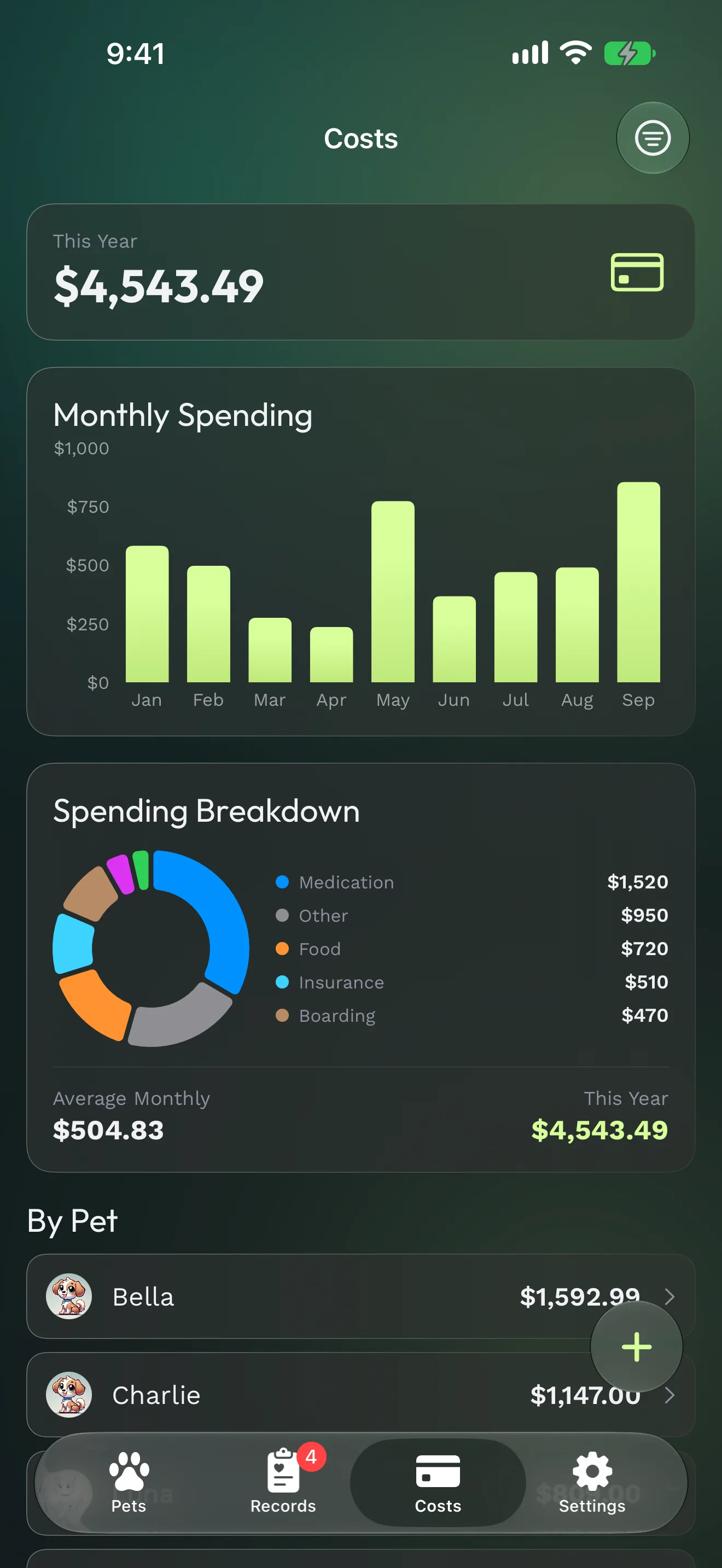
    Expense tracking with colorful category breakdown and monthly charts

    Family SharingiOS only

    Invite your partner, family, or pet sitter to share a pet's records. They see every med, shot, and vet detail — and your updates sync instantly on their phone.

    Expense Tracking

    Log vet bills, food, meds. Monthly charts per pet — finally know what your dog actually costs.

    Medication Tracker

    Daily meds with 30-day consistency charts. For senior pets on 4 meds, this is the one feature.

    Share the Emergency Card

    The Emergency card itself is free: on the Today tab, in a widget, in Control Center and with Siri. Pro shares it as a QR code anyone can open in a browser, and adds it to Apple Wallet.

    Apple Watch AppNewiOS only

    Each pet's day on your wrist: what's due, today's doses and the Emergency card. Mark things done even when your iPhone is out of reach.

    Weight Tracking

    Weight chart per pet with a healthy range for the breed. Spot weight changes before your vet does.

    And Then Some

    AI Insight, a short health summary written on your iPhone. A whole vet visit in one form, vaccine suggestions (AAHA/AAFP), the Today's Care and Weight Trend widgets, unlimited notes, attachments and album photos.

    See Pro in the App Store

    Pro is monthly, yearly (try it free for a week, where eligible) or a one-time lifetime purchase. Prices are in your currency on the App Store.

    Free, and staying free

    Unlimited pets and health records, reminders, iCloud sync, PDF export and the Vaccination Summary, Scan a Record, Siri, Live Activities and the Emergency Card widget. Free limits: 5 notes, 3 documents and 20 album photos per pet, 1 attachment per record, 3 records per vet visit.

    Free for Ukrainian App Store users — all Pro features, no payment. This is our way of supporting pet parents at home.

    FAQ

    Answers Before You Ask

    Everything you need to know about Pet Health+.

    Yes — and core features will never become paid. The free tier includes unlimited health records, reminders, iCloud sync, and PDF export. Pro adds expense tracking, medication logs, and Apple Watch. Free for users with Ukrainian App Store accounts.

    Unlimited pets, free. Dogs, cats, rabbits, birds, reptiles, horses — or any custom type. Each pet gets its own profile with a photo, breed, and complete health record history.

    Your health records are stored on your device using Apple's SwiftData framework. If you enable iCloud, they sync encrypted across your Apple devices through your own iCloud account. They never reach our servers, and we never see them. The app does send anonymous usage statistics and crash reports (never pet names or records). On iPhone and iPad you can turn them off in Settings → Privacy; in the EEA, UK and Switzerland they stay off unless you opt in.

    Pro unlocks the Apple Watch app; the Today's Care, Upcoming Reminders and Weight Trend widgets and the Log Weight control (the Emergency Card widget and control stay free); the Emergency card in Apple Wallet and as a shareable QR code; Family Sharing; weight tracking with breed ranges; the medication tracker with 30-day consistency; expense tracking; AI Insight; vet visit reminders; vaccine suggestions; the document scanner; and more than 5 notes and 3 documents per pet, more than 1 attachment per record and more than 3 records per vet visit.

    It's in closed testing. To join, email support@pethealthplus.app with the Google account you use on Google Play and we'll add you. The Android app keeps your records and reminders and backs up to your own Google Drive. Some features are built on Apple technology and stay on iPhone: the Apple Watch app, Family Sharing, Live Activities, Siri, the Focus filter and AI Insight.

    Email support@pethealthplus.app — you'll hear back quickly. You can also submit feature requests directly from the app.

    Yes. There's no import from other apps yet, so most people enter their pet's current vaccines once. Scan a Record reads paper certificates for you, and you can attach your old app's PDF as a document.

    The Apple Watch app is part of Pet Health+ Pro. The free tier works on iPhone and iPad with iCloud sync, and the Emergency widget and control stay free — your pets' day on your wrist comes with Pro.

    Yes — usually within a couple of days. It's one developer, not a ticket queue.

    Only if you want Google Drive backup — which is optional. The app works fully offline without any account. If you do enable Drive backup, you sign in with your existing Google account (the one already on your phone). We never receive, store, or see your Google credentials; the OAuth flow happens between you and Google, and the backup goes to your own Drive — not to us.

    Apple requires every Wallet pass to be signed, and the signing key can't ship inside an app. So the card's details and photo go to our signing service, and the signed pass comes straight back to your iPhone. Nothing from the card is stored or logged.

    An iPhone or iPad with iOS 26 or later. The Apple Watch app needs watchOS 26 and a paired iPhone. AI Insight needs an iPhone with Apple Intelligence turned on, in a supported language.

    Nothing you add is deleted. With iCloud on, your records sync to your other devices and come back on a new iPhone. The app also makes automatic backups in iCloud Drive, and you can export a backup file, protected with a passphrase if you like. If Pro ends, your records stay: Pro sections lock until you subscribe again, and the PDF export stays free.

    Open the pet and tap Share. Share vaccination summary makes a PDF of the vaccinations with lot numbers and the vet's documents attached; Share PDF makes a full health summary with treatments, medications and weight. Both are free.

    Not yet. Pet Health+ is for iPhone and iPad (iOS and iPadOS 26 or later), and with Pro it's on your Apple Watch too. The Android app is in closed testing: email support@pethealthplus.app to join.

    Pro is monthly, yearly (try it free for a week, where eligible) or a one-time lifetime purchase. Prices are in your currency on the App Store.

    Scattered Records? Solved.

    Free to start on the App Store. No account. Works offline. On iPhone, iPad and Apple Watch — in 17 languages.

    Free to StartNo AccountiCloud Synced