Apple Watch
Each pet's day on your wrist. Mark a reminder done, log a dose or a weight, and call the vet, even with your iPhone out of reach.
The Watch app mirrors each pet's Today tab: what's due, the doses to give, the weight, and the Emergency card with the vet one tap from a call. What you log on the wrist is saved on your iPhone.
Steps
Install it. Open the Watch app on your iPhone, scroll to Available Apps, and tap Install next to Pet Health+. If you don't see it, Pet Health+ in Settings has a Not seeing it on your Watch? row with the same steps.
Open Pet Health+ on the Watch. The first screen lists your pets, with the next item under each name and a red count when something is overdue. If it says Open Pet Health+ on your iPhone to sync data, open the app on the phone once and the list fills in.
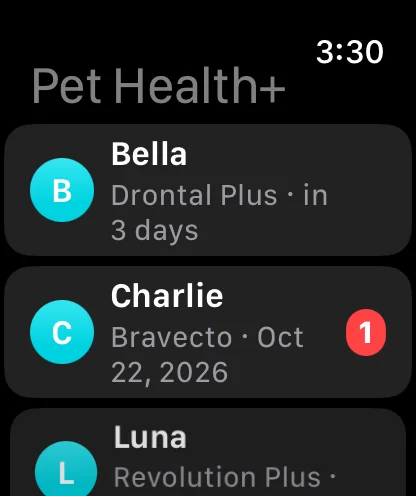
Tap a pet to see its day: Due today, This week, Doses due, Weight, then the Emergency Card. Tap the check circle beside a reminder to mark it done, or beside a dose to log it. The Watch taps once to confirm and the row disappears.
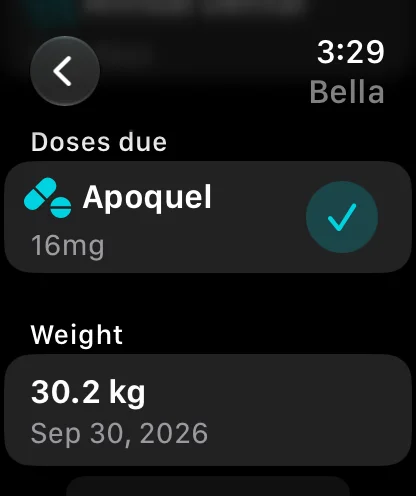
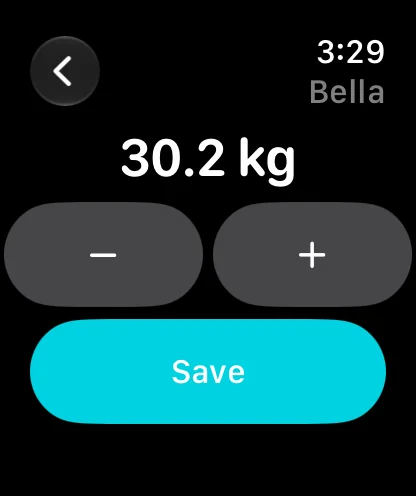
Log a weight. Tap Log Weight under Weight, turn the Digital Crown or tap − and +, then Save. The entry appears in the pet's weight history on the iPhone.
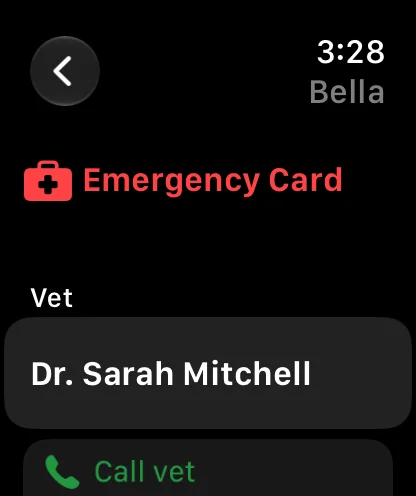
Call the vet. Scroll to the Emergency Card and tap Call vet. The call is placed through your iPhone. Allergies and the microchip number sit right under it, for when someone at a clinic asks.
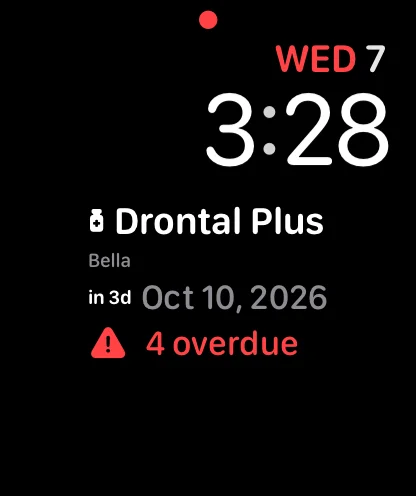
Add the complication. Touch and hold the watch face, tap Edit, pick a complication slot, and choose Pet Health+. It shows the next upcoming record, or All caught up. On a day something is due, Pet Health+ also appears in the Smart Stack.
Free or Pro
The Watch app is part of Pro. Without it, the Watch shows "Upgrade on your iPhone to see health records here" and the complication reads "Pet Health+ Pro".
Good to know
- Without your iPhone nearby, Done, Log dose and Log Weight still work: the Watch sends them through iCloud and they reach the phone when it's next online. Siri on the Watch says "will be saved on your iPhone when it's nearby" in that case.
- You can ask Siri on the Watch the same things as on the iPhone (see Ask Siri).
- The Done and Log dose buttons appear on your own pets. A pet shared with you shows its day without them.
- The Watch is in the same language as the app on your iPhone.
If something's off
- "Not saved. Your iPhone couldn't save this. Try again." — the phone rejected the action, usually because the record was already changed there. Open the pet on the iPhone and check.
- The list is empty after upgrading to Pro — open Pet Health+ on the iPhone once; it sends the Watch its data on launch.
- The complication isn't offered — install the app from the Watch app first (step 1), then restart the Watch if the complication still doesn't appear in the picker.
Get Pet Health+
Free to start, no account. For iPhone, iPad and Apple Watch.