Ask Siri
The next vaccine, what's coming up, the Emergency card or a new weight, hands-free.
Pet Health+ answers four questions through Siri, on the iPhone and the Apple Watch. There's nothing to set up: say the phrase with the app's name in it.
Steps
Ask for the next vaccine. Say one of:
- "When is Bella's next vaccine in Pet Health+"
- "Next vaccine for Bella in Pet Health+"
- "When is my pet's next vaccine in Pet Health+" Siri answers with the vaccine and its date. Use your pet's name in place of Bella. With one pet, "Next vaccine in Pet Health+" is enough.
Ask what's coming up. Say "Upcoming reminders in Pet Health+" or "What's coming up in Pet Health+". Siri reads the next reminders across your pets.
Open the Emergency card. Say "Show emergency card for Bella in Pet Health+" or "Open my pet's emergency card in Pet Health+". The app opens on the card, with the vet one tap from a call, even if the app was closed.
Log a weight. Say "Log Bella's weight in Pet Health+". Siri asks for the weight and confirms: "Logged Bella's weight as 12.4 kg."
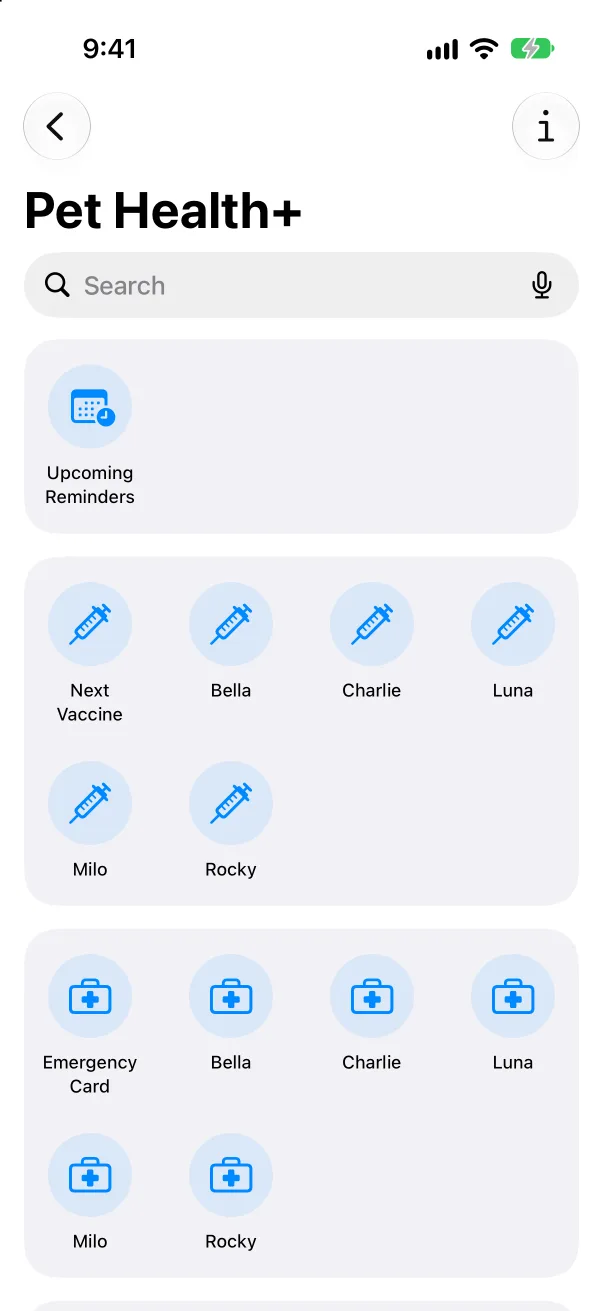
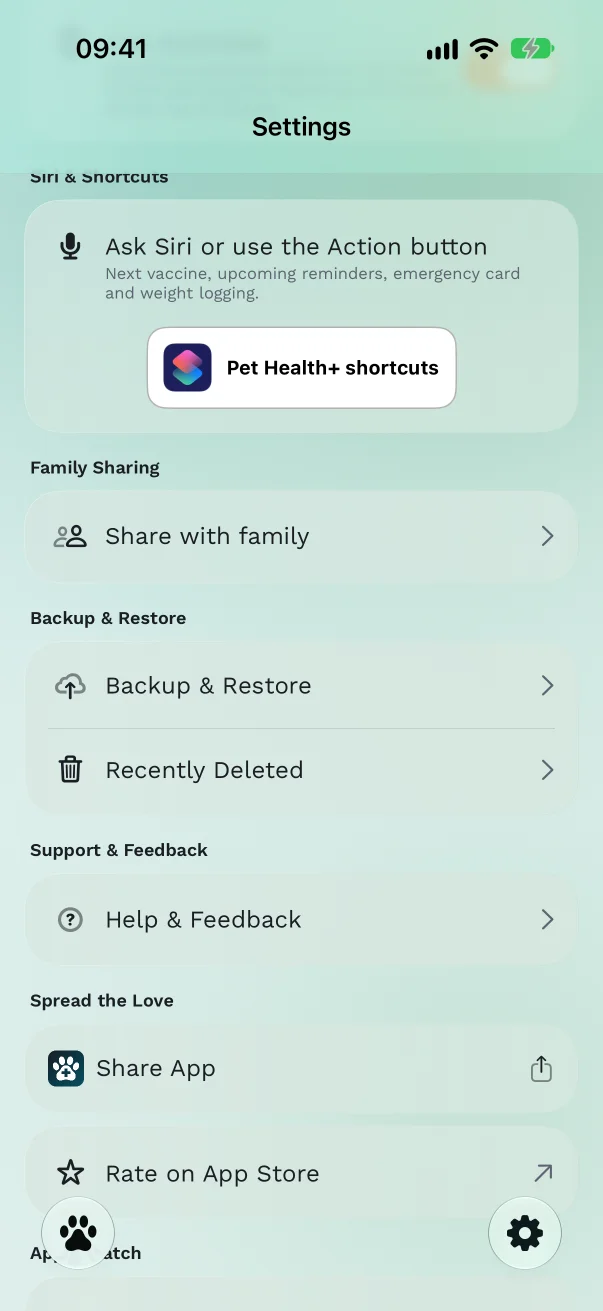
Find them in Shortcuts. In Pet Health+, go to Settings → Siri & Shortcuts and tap the Shortcuts button. All four are there as Next Vaccine Date, Upcoming Pet Reminders, Show Emergency Card and Log Pet Weight. Add any of them to the Home Screen, a Shortcuts automation, or the Action button.
Quiet nights: the Focus filter
You can let only urgent reminders through during Sleep or Work.
Open the iPhone's Settings → Focus, pick a Focus such as Sleep, and scroll to Focus Filters.
Tap Add Filter, choose Pet Health+, and turn on Urgent reminders only.
While that Focus is on, reminders for things that aren't due yet arrive silently. Anything overdue or due today still alerts you.
Free or Pro
Next vaccine, upcoming reminders and the Emergency card are free. Logging a weight by voice is part of Pro; without it Siri says "Weight tracking is part of Pet Health+ Pro."
Good to know
- Siri learns a new pet's name as soon as you add the pet.
- The phrases work in every language the app supports where Siri does. Where Siri doesn't support the language yet, the shortcuts still run from the Shortcuts app and the Action button.
- On the Apple Watch, the same phrases work. If your iPhone isn't nearby, a weight you log by voice is saved on the phone when it's back in reach.
Get Pet Health+
Free to start, no account. For iPhone, iPad and Apple Watch.