Log a vet visit
The vaccines, a procedure, the weight and a note from one visit, saved together in one form.
Back from the vet with two shots, a weight and something to remember? Log the whole visit in one form instead of five.
Steps
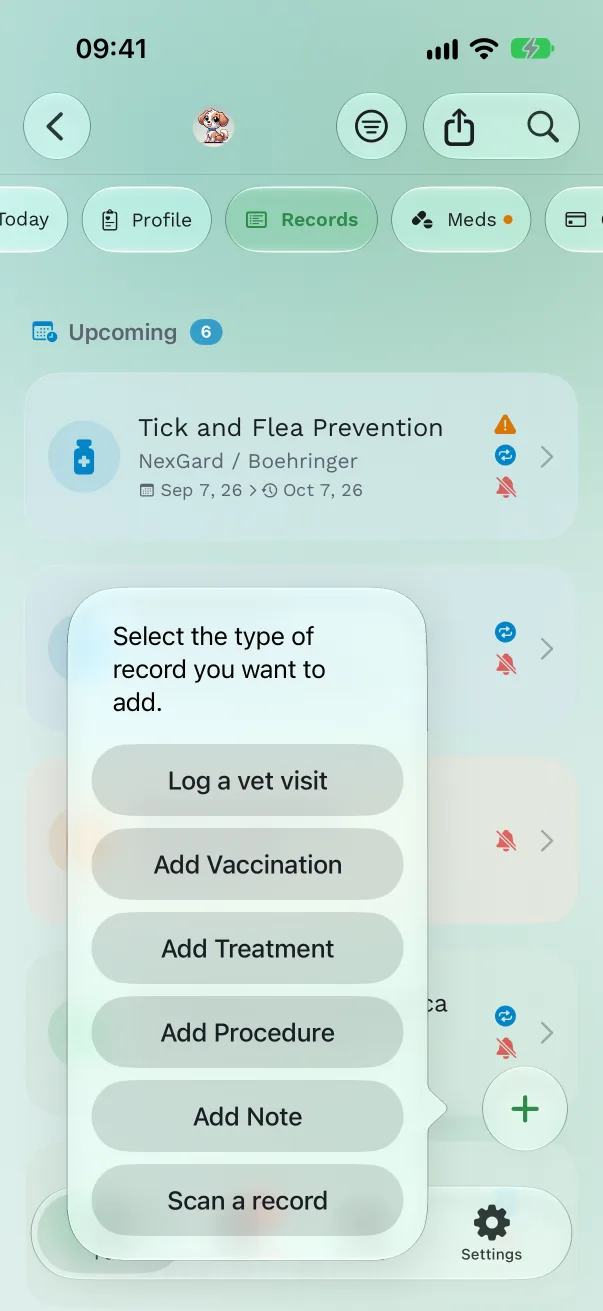
Start. On the pet's Records tab, tap + and choose Log a vet visit.
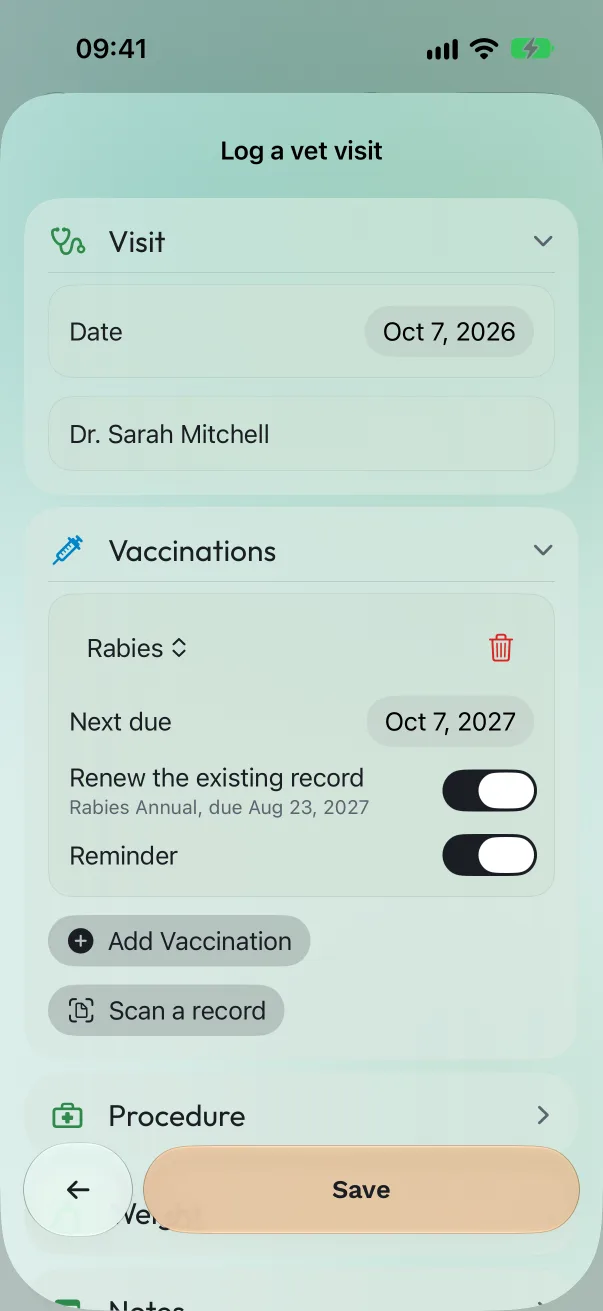
The visit. Set the Date and, if you like, the vet's name.
Vaccinations. Tap Add Vaccination for each shot. Pick the vaccine; Next due is filled in. If the pet already has that vaccine, Renew the existing record is on: the visit logs a new dose on that record and moves its due date, instead of adding a second copy. Scan a record reads a certificate into the list.
A procedure. Add Procedure and pick its type, for a dental cleaning, surgery or anything else done that day.
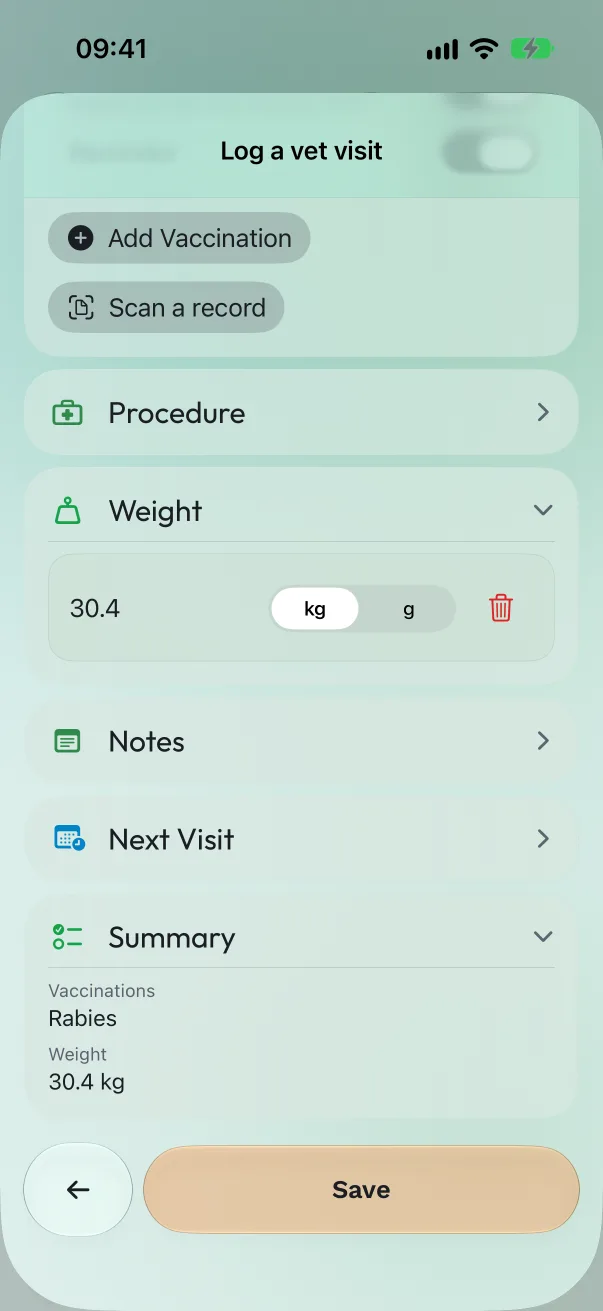
Weight, note and the next visit. Add Weight for the weigh-in, Notes for what the vet said, and Next Visit for the next checkup.
Save. Summary lists what will be saved. Tap Save: everything is saved at once, with reminders for what's due next.
Free or Pro
Logging a vet visit is free for up to 3 records per visit. The weight, the next visit and more records per visit are part of Pro.
Good to know
- Nothing is saved until you tap Save, and if something fails, nothing is changed.
- A vaccine can't be due before the visit, and the next visit must be after this one: the form tells you if a date is off.
- Each vaccination, procedure and note appears in Records like any other, so you can edit them later.
Get Pet Health+
Free to start, no account. For iPhone, iPad and Apple Watch.