Vaccination Summary and PDF export
Proof of vaccination for a kennel or groomer, or the full record for a new vet, in a couple of taps.
Pet Health+ makes two PDFs.
- The Vaccination Summary is the one a kennel, groomer or daycare asks for: the vaccinations with their dates and lot numbers, with your vet's documents attached.
- The full PDF is everything about the pet, for a new vet or a sitter.
The Vaccination Summary
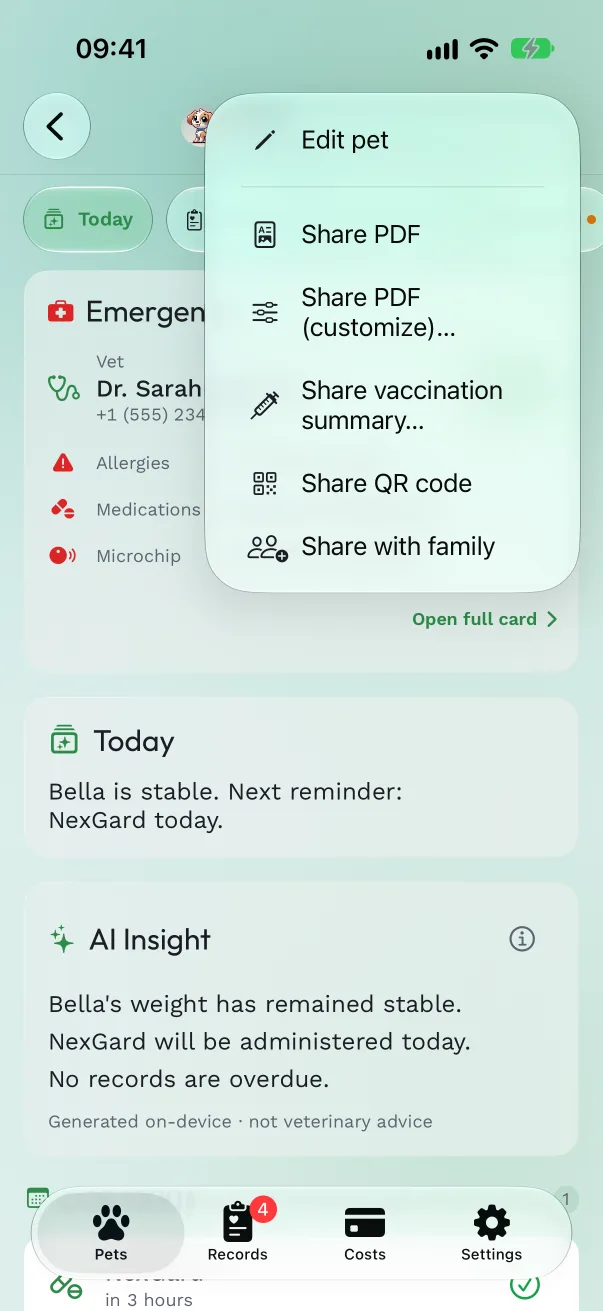
Open the share menu. On any of the pet's tabs, tap the Share button at the top right and choose Share vaccination summary…
Pick the region. United States, United Kingdom or European Union decides which vaccines are checked and whether the microchip is required. It starts on your iPhone's region.
Check the list. Kennels usually ask for ticks each of those vaccines your pet has on record, and lists what a record is missing, such as a lot number. Turn on Attach passport and vet certificates to add the pet's documents from Files; each vaccine's own vet documents are always attached.
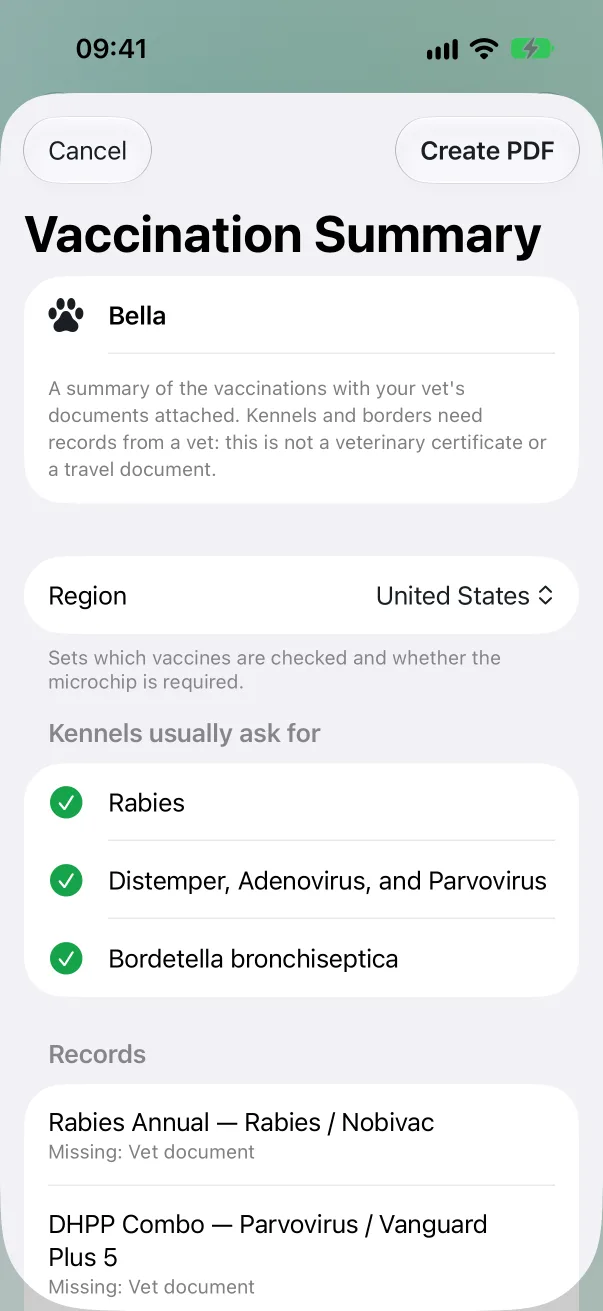
Tap Create PDF and send it from the share sheet: Mail, Messages, AirDrop or Files.
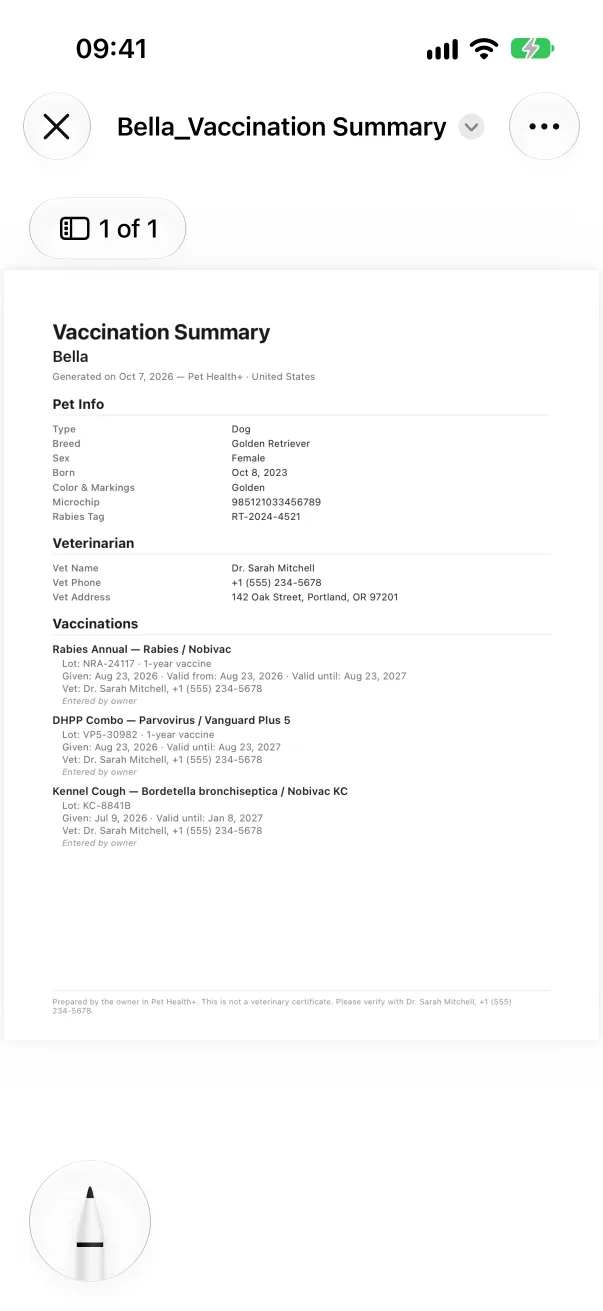
Each vaccine says whether it's from an attached vet record or entered by you, and every page says it's prepared by the owner and is not a veterinary certificate. Kennels and borders need records from a vet: the summary puts them together, it doesn't replace them.
The full PDF
From the same menu, Share PDF makes the full record at once.
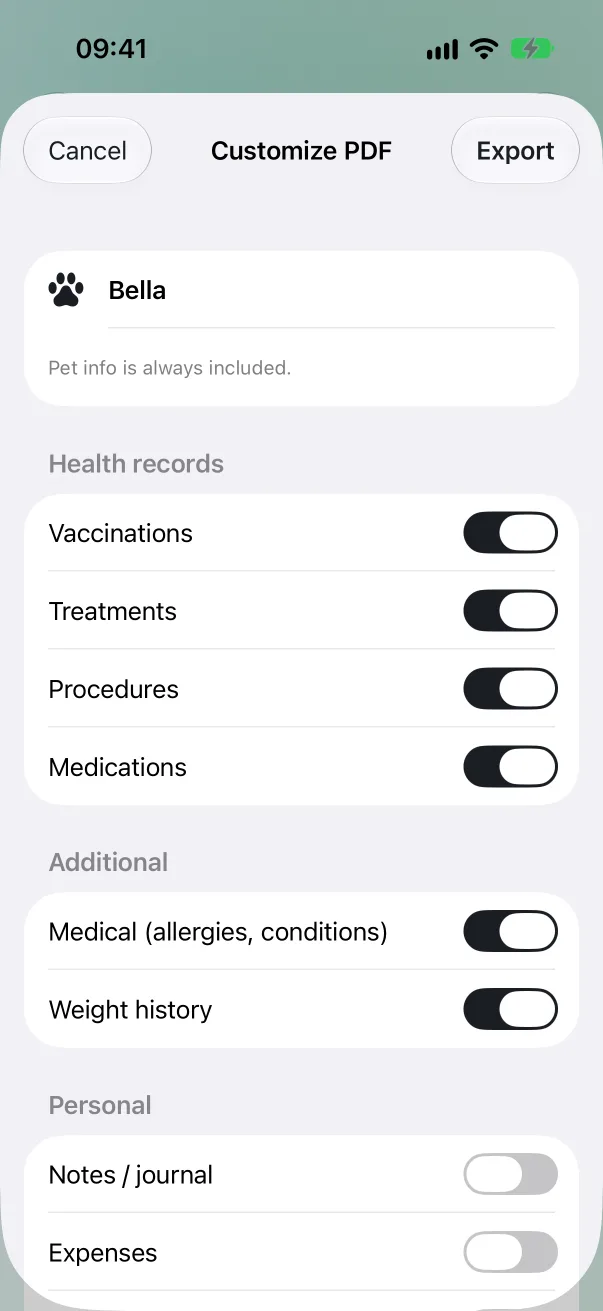
Share PDF (customize)… lets you choose what goes in: Vaccinations, Treatments, Procedures, Medications, Medical (allergies, conditions), Weight history, and, off by default, Notes / journal, Expenses and Documents summary. Pick US Letter or A4, then Export.
The cover page has a QR code: "Scan for emergency details".
Free or Pro
Both PDFs are free.
Good to know
- Add the lot number when you log a vaccine (see Logging a booster): it's what kennels look for.
Get Pet Health+
Free to start, no account. For iPhone, iPad and Apple Watch.