Logging a booster, a dose or a procedure
Log a booster the way your vet gives it: the date, lot number, vet, cost and the certificate, in one sheet.
When your pet gets a shot, a flea treatment or a procedure, you log it on the record you already have. The app saves the dose, works out when the next one is due, and moves the reminder.
Steps
Open the record in the pet's Records tab, or tap it on Today. The button at the bottom says what it logs:
- Log Booster — a vaccination that repeats.
- Log Vaccination — a one-time vaccination.
- Log Dose — a treatment that repeats, such as flea and tick.
- Log Treatment — a one-time treatment.
- Log Procedure — a dental cleaning, surgery or check.
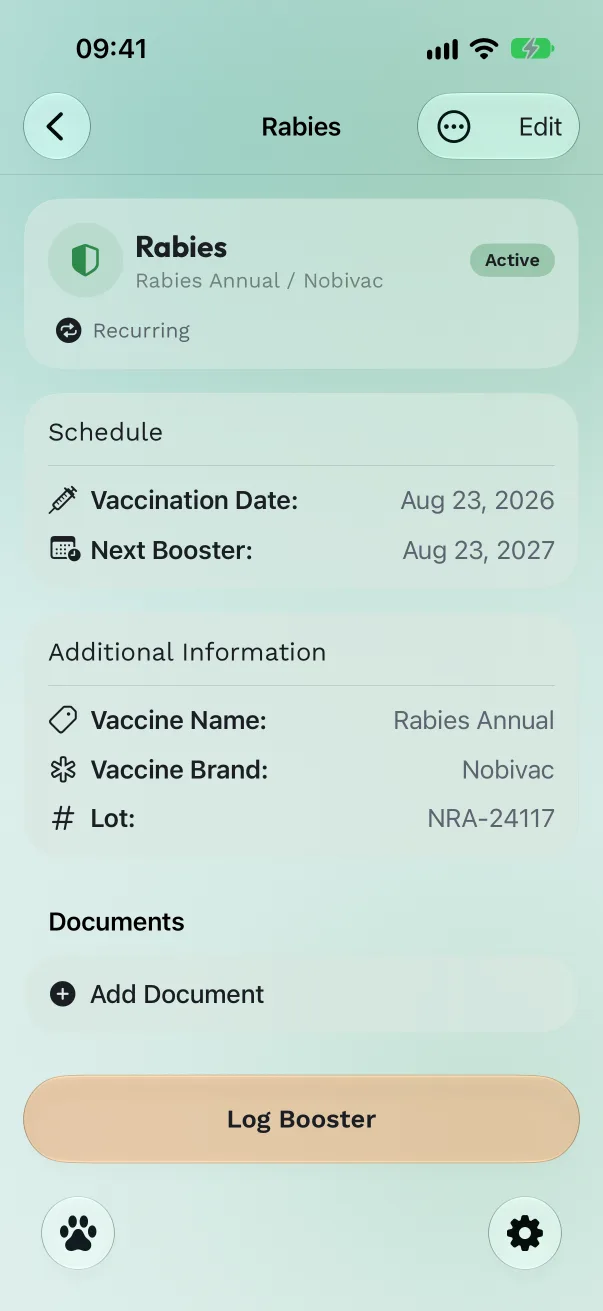
Fill in the sheet. Set Date given. For a vaccination, add the Lot number from the vial sticker, the vet's name and the cost. As you change the date, Next booster shows when the next one will be due. Treatments have the date and cost; procedures have the date, vet and cost.
Attach the certificate. Under Documents, tap Add Document and scan the certificate, take a photo, or pick a photo or file.
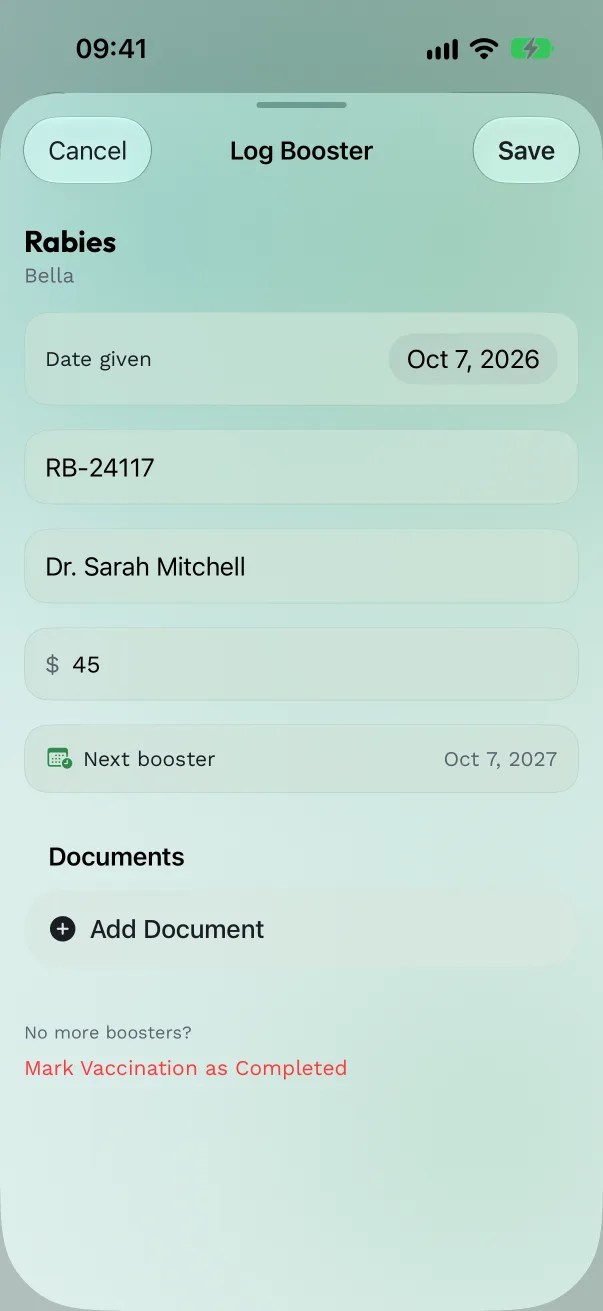
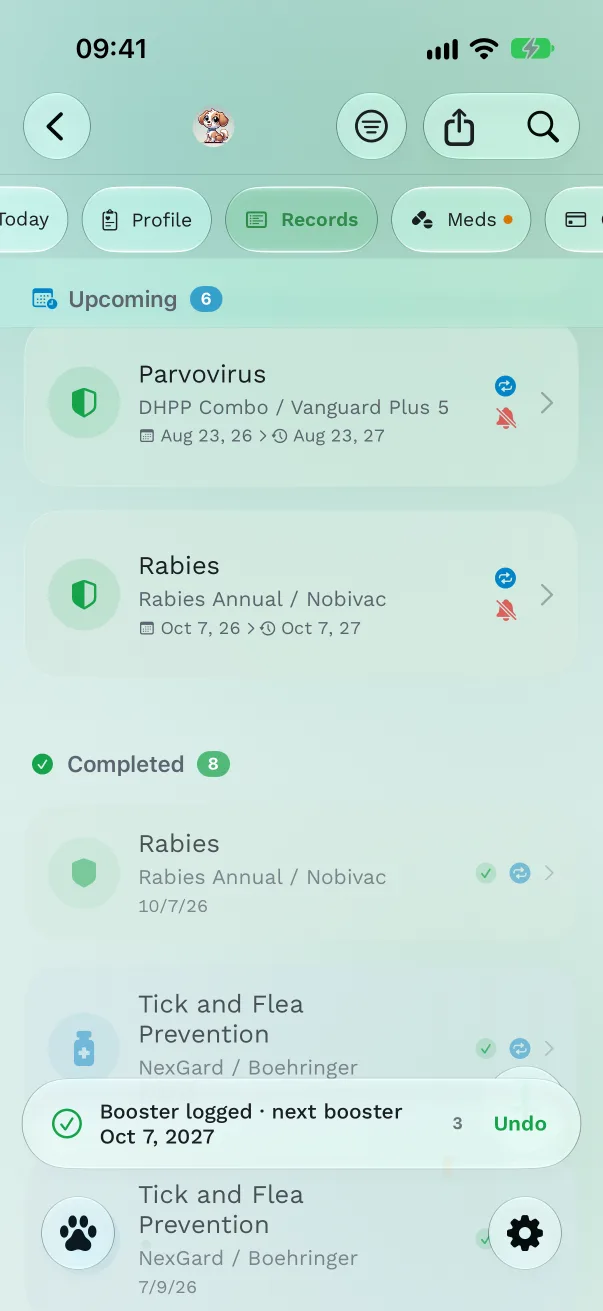
Save. The toast tells you what was logged and what's next, for example "Booster logged · next booster 4 Oct 2027". The record now shows the new due date and its reminder moves with it.
Faster ways to log
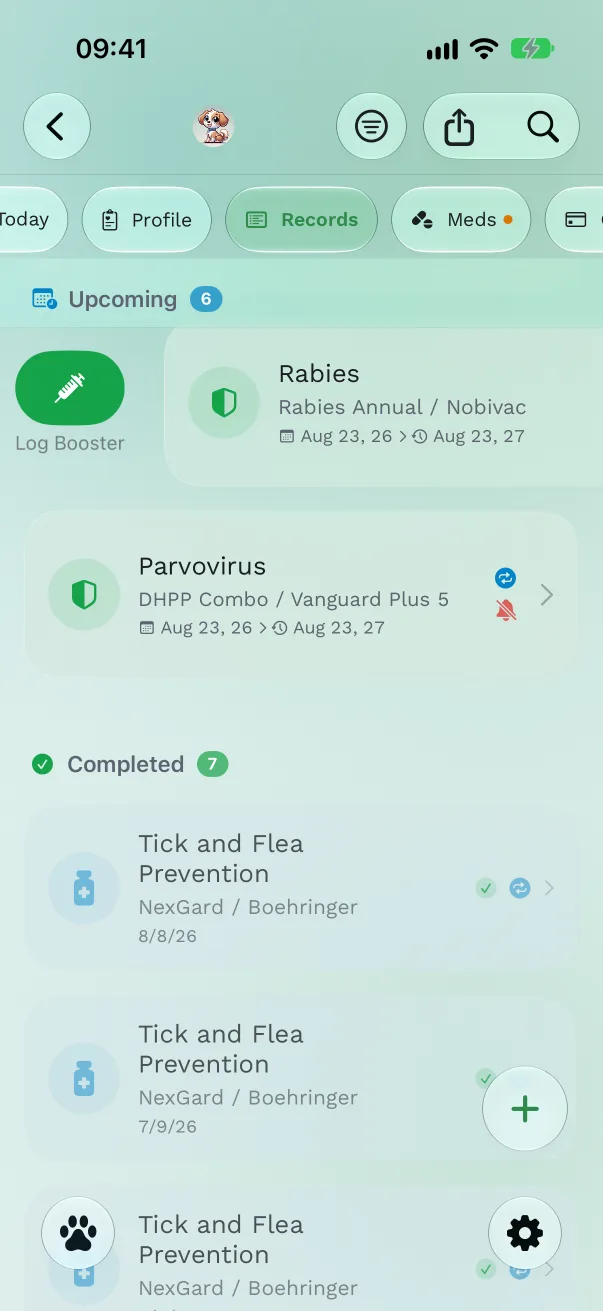
- Swipe right on any record in Records: the same Log Booster, Log Dose or Log Procedure sheet opens.
- One tap on Today: tap the circle beside an item in Due today. It's logged for today; tap Add details on the toast to add the lot number, vet and cost.
- From the notification: touch and hold a vaccine reminder and tap Booster given (or Vaccination given for a one-time vaccine). Treatments and procedures say Mark as Done. Snooze 1 hour brings it back later.
- From a widget, a Live Activity or the Apple Watch, with the same Done button.
Puppy and kitten series
When you apply a starter schedule to a young pet, a vaccine given as a series shows Dose 1 of 3, then Dose 2 of 3. Log each dose with Log Booster: the toast says "Dose logged · next dose 3 Nov", and the record moves to the next dose. Until the first dose is logged, the record says Not given yet; if your pet already had it, open the record, tap Edit, and use Already given? Log it. See Starter vaccine schedules.
Good to know
- Ending a series: when the vet says no more boosters, tap Mark Vaccination as Completed in the sheet. The dose is logged as the last one and the reminders stop. Treatments have Mark Treatment as Completed.
- The lot number and attached documents show on the logged dose and in the Vaccination Summary PDF.
- The cost you enter also appears in Costs (Pro).
- A due date you set by hand, or scan from a certificate, sets the vaccine's repeat interval from then on.
Free or Pro
Logging is free. Free plans attach one document per logged dose; Pro attaches more.
Get Pet Health+
Free to start, no account. For iPhone, iPad and Apple Watch.