Reminders you'll actually get
A notification before every vaccine, treatment and vet visit, and a Sunday summary of the week ahead.
Every record with a due date can remind you. The reminder moves on its own when you log the next dose, and the app re-creates any reminder that iOS dropped the next time you open it.
Steps
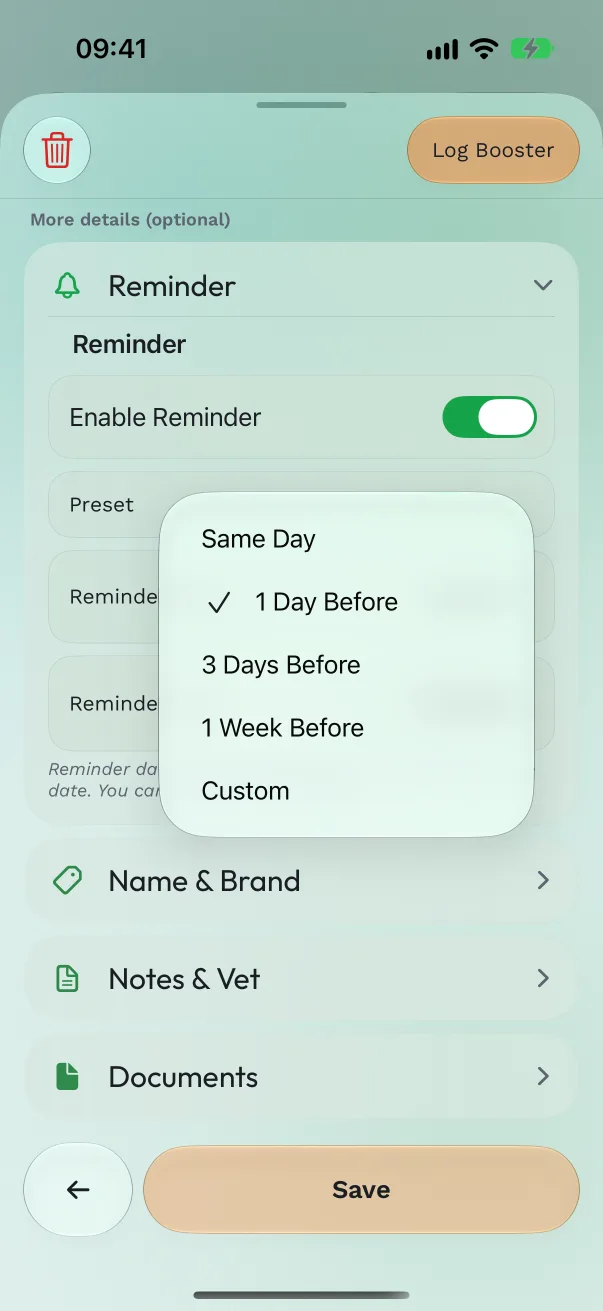
Set a record's reminder. In the vaccination, treatment or procedure form, turn on Enable Reminder. Pick a Preset: Same Day, 1 Day Before, 3 Days Before, 1 Week Before or Custom, then the Reminder Time.
Act on it from the notification. Touch and hold the notification: Booster given or Vaccination given for vaccines, Mark as Done for treatments and procedures, Snooze 1 hour for all of them.
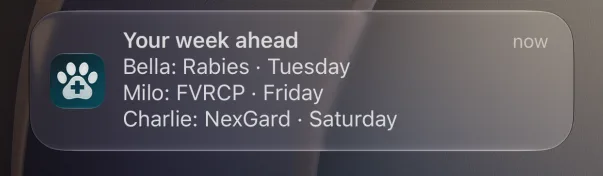
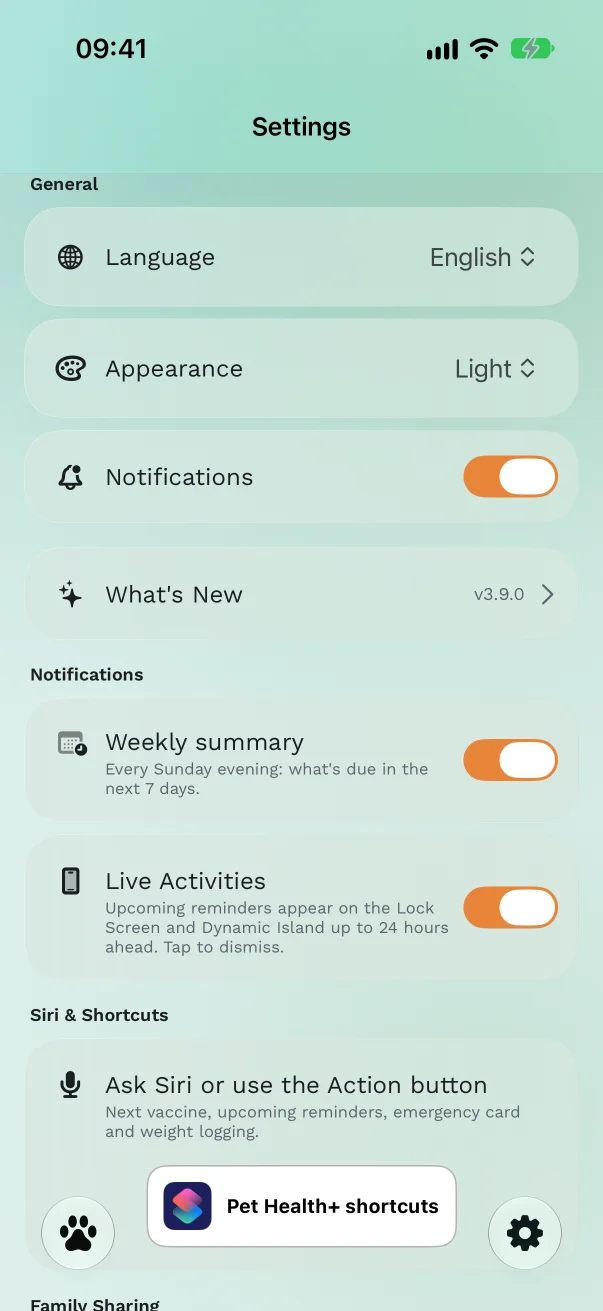
Get the Sunday summary. In Settings → Notifications, turn on Weekly summary. Every Sunday at 18:00 you get "Your week ahead": up to three things due in the next seven days, across all your pets. Nothing due, no notification.
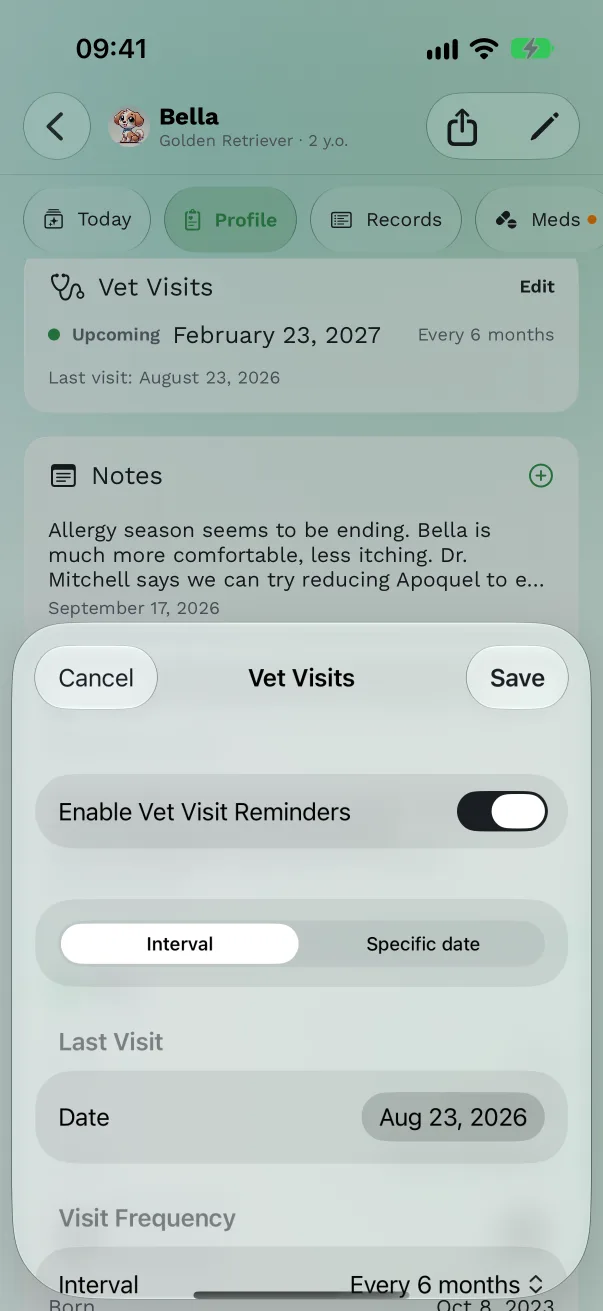
Be reminded of checkups. On the pet's Profile, find Vet Visits and tap Set Up. Turn on Enable Vet Visit Reminders and either enter the Last Visit and a Visit Frequency (Every 3 months, Every 6 months, Annually, Every 2 years) or pick a specific date. You're reminded at 9:00 on the day.
Remind yourself to weigh. On Profile → Weight, tap Weight Reminder and choose Weekly, 2 Weeks or Monthly. See Weight trends and costs.
Free or Pro
Record reminders, the weekly summary and the Focus filter are free. Vet visit reminders, medication reminders and weight reminders are part of Pro.
Good to know
- Notifications must be on for Pet Health+: Settings → General → Notifications in the app turns on the iPhone permission.
- Overdue records show Overdue on Today and in Records, and the Records tab can Show Only Overdue.
- Want quiet nights? The Focus filter lets only overdue and due-today reminders through during Sleep or Work. See Ask Siri for how to add it.
- Within 24 hours of a due date, the reminder also appears as a Live Activity on the Lock Screen. See Live Activities.
Get Pet Health+
Free to start, no account. For iPhone, iPad and Apple Watch.