Weight trends and costs
See whether your pet's weight sits in the healthy range for the breed, and what your pets cost you each month.
Weight
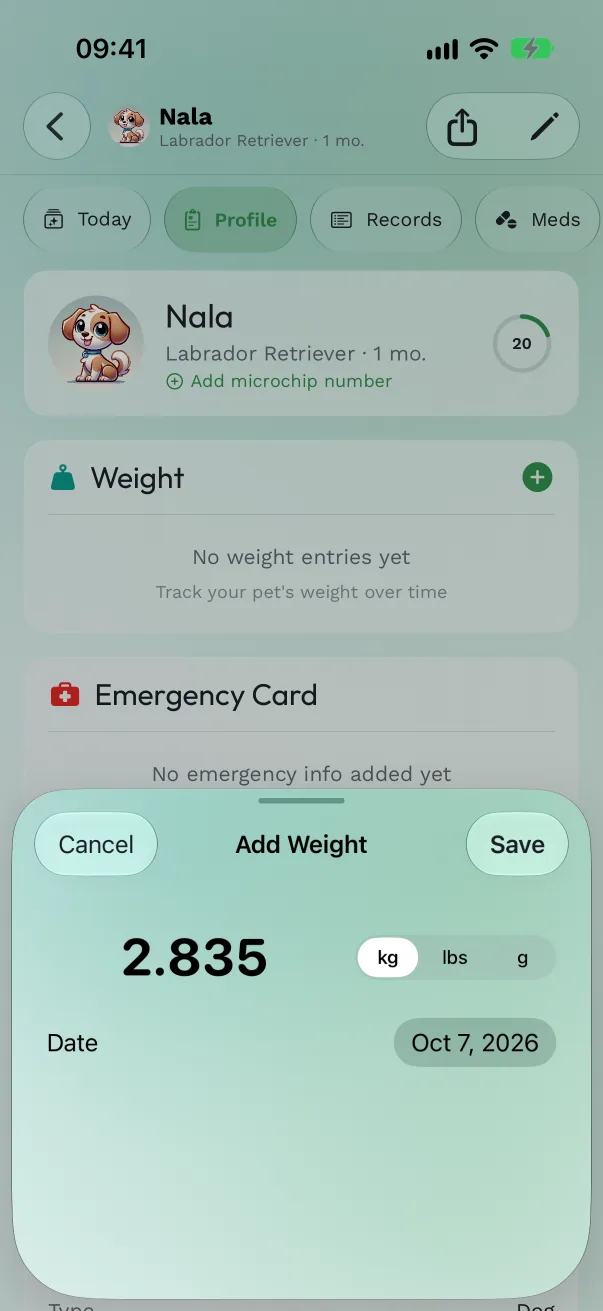
Log a weight. On the pet's Profile tab, find the Weight card and tap +. Type the weight, pick kg, lbs or g, set the date and tap Save. From the Today tab, Log weight takes you to the same card.
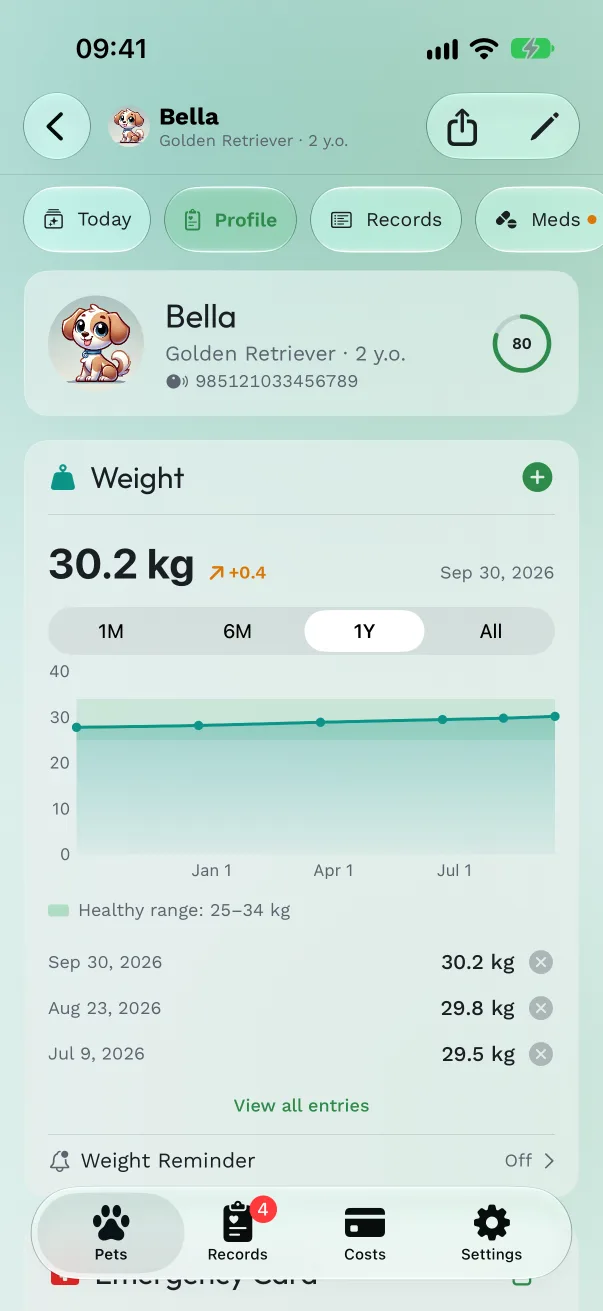
Read the trend. With two or more entries, the chart appears. Pick 1M, 6M, 1Y or All. When the pet's breed is set, a shaded band shows the breed's healthy range, with the numbers under the chart.
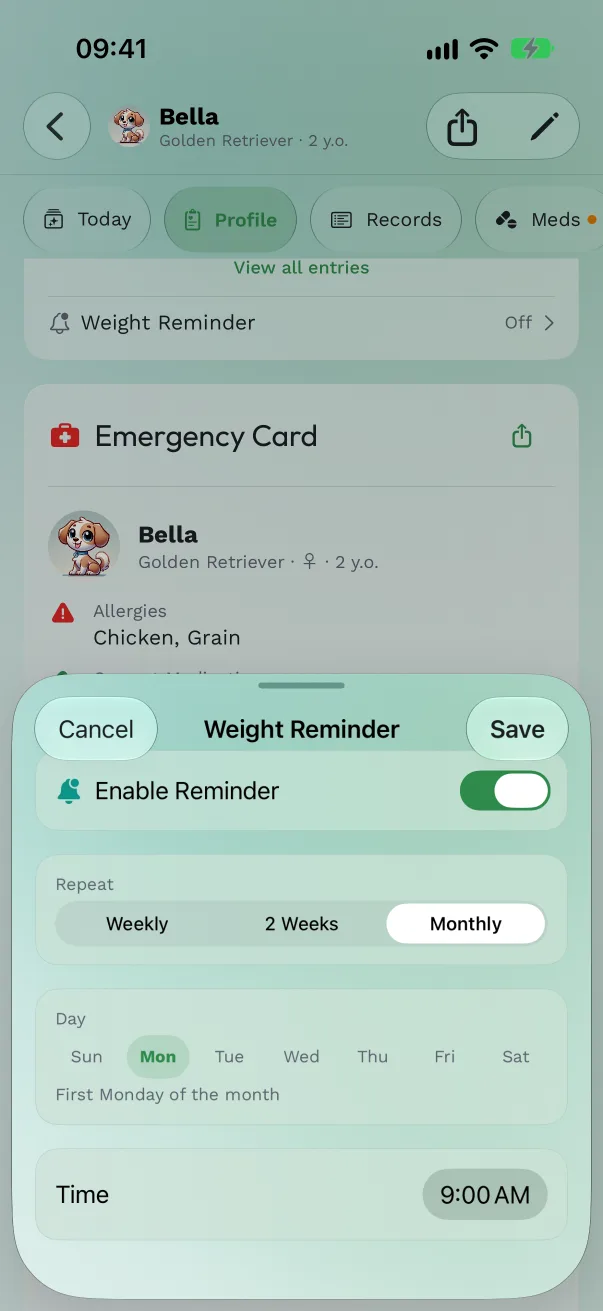
Get a reminder to weigh. Tap Weight Reminder, turn on Enable Reminder, and choose Weekly, 2 Weeks or Monthly, the day and the time. Monthly reminders come on the first chosen weekday, for example "First Monday of the month".
See all entries. View all entries opens the full history; swipe left on an entry to delete it.
Good to know:
- Weights keep up to three decimals, so a puppy's 2.835 kg stays 2.835 kg everywhere: the chart, the history, the PDF and the people you share with.
- With VoiceOver, swipe to the chart and use Play Audio Graph to hear the trend.
- The Weight Trend widget puts the last 90 days on the Home Screen or Lock Screen (see Widgets and controls).
- Ask your vet what's right for your pet.
Costs
Add an expense. Tap Add Expense on the Costs tab, or on a pet's Expenses tab. Fill in the title, amount, category, date and an optional note, then Save. Categories: Food, Medication, Veterinary, Grooming, Toys, Supplies, Insurance, Boarding, Training, Transport, Accessories, Other.
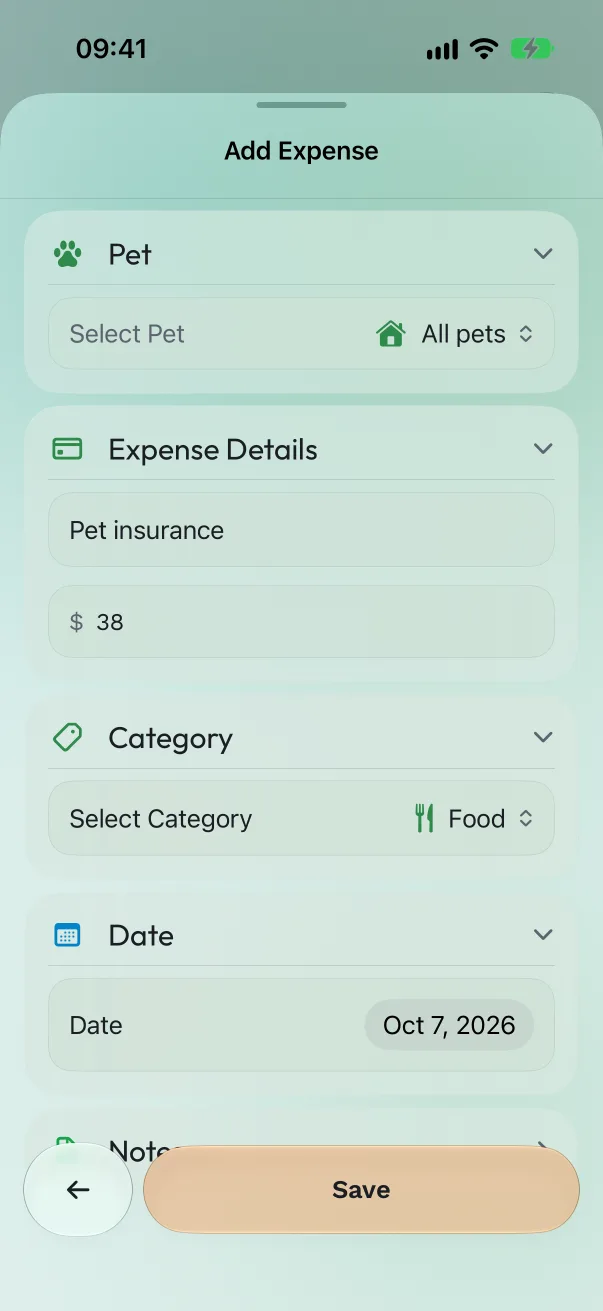
Costs for the whole household. For something that isn't one pet's, such as insurance for all of them or a bag of food they share, set Pet to All pets. It's listed as Household.
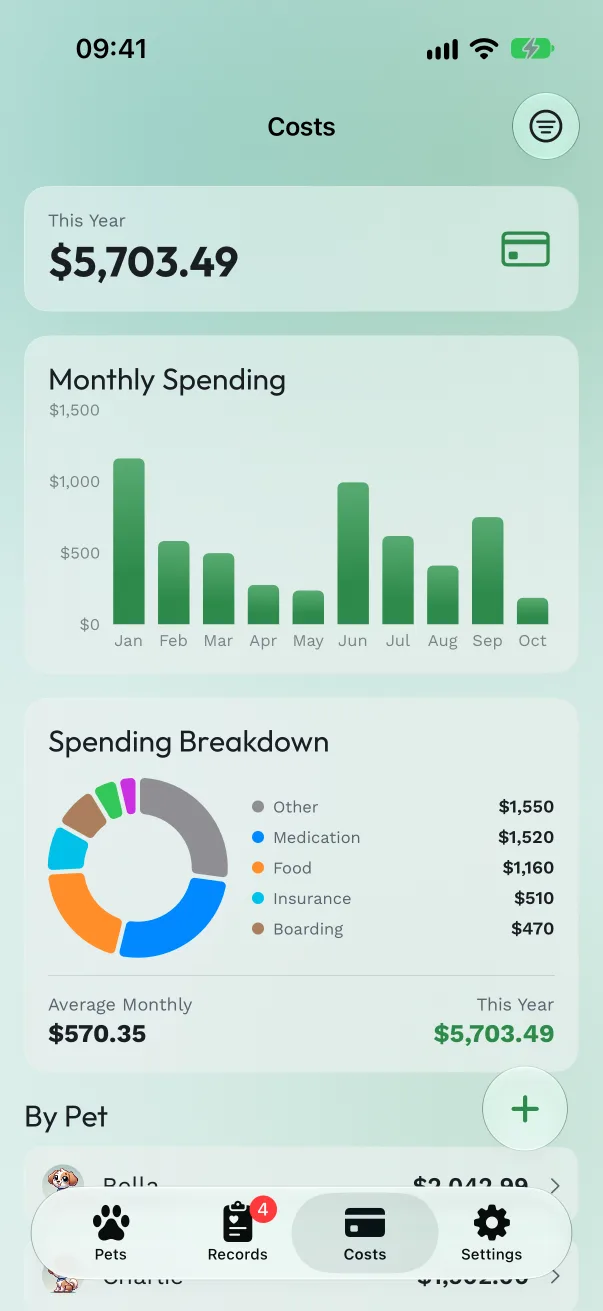
Read your spending. The Costs tab shows This Year, a Monthly Spending chart, a Spending Breakdown by category with the monthly average, and By Pet when you have more than one. Tap a pet in By Pet, or use the filter menu, to narrow the list.
Good to know:
- When you mark a vaccination or treatment as done, you can enter its cost there; it shows up in Costs too.
- Amounts use your iPhone's region currency.
Free or Pro
Weight tracking and costs are part of Pro.
Get Pet Health+
Free to start, no account. For iPhone, iPad and Apple Watch.