Medications
Daily meds with their dose and schedule, checked off each day, with a reminder and a 30-day record.
The Meds tab keeps a pet's daily and occasional medications: what to give, how much, when, and whether you did.
Steps
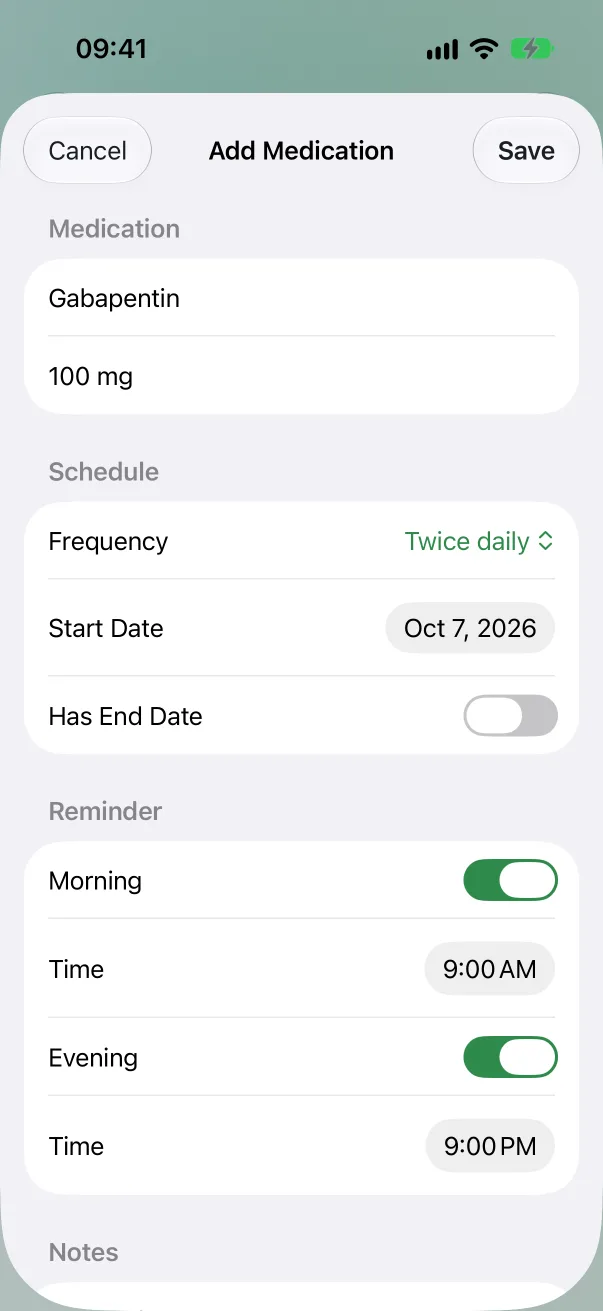
Add a medication. On the pet's Meds tab, tap +. Enter the Name and Dosage ("16 mg", "1 tablet"), then the Frequency: Once daily, Twice daily, Every other day, Weekly, Monthly or As needed. Set the Start Date, and an End Date for a course that ends.
Set its reminder. For twice-daily meds, turn on Morning and Evening separately, each with its own time; one of them is enough. Other schedules have one Daily Reminder with a time. You're reminded only on dose days: a weekly med reminds you once a week.
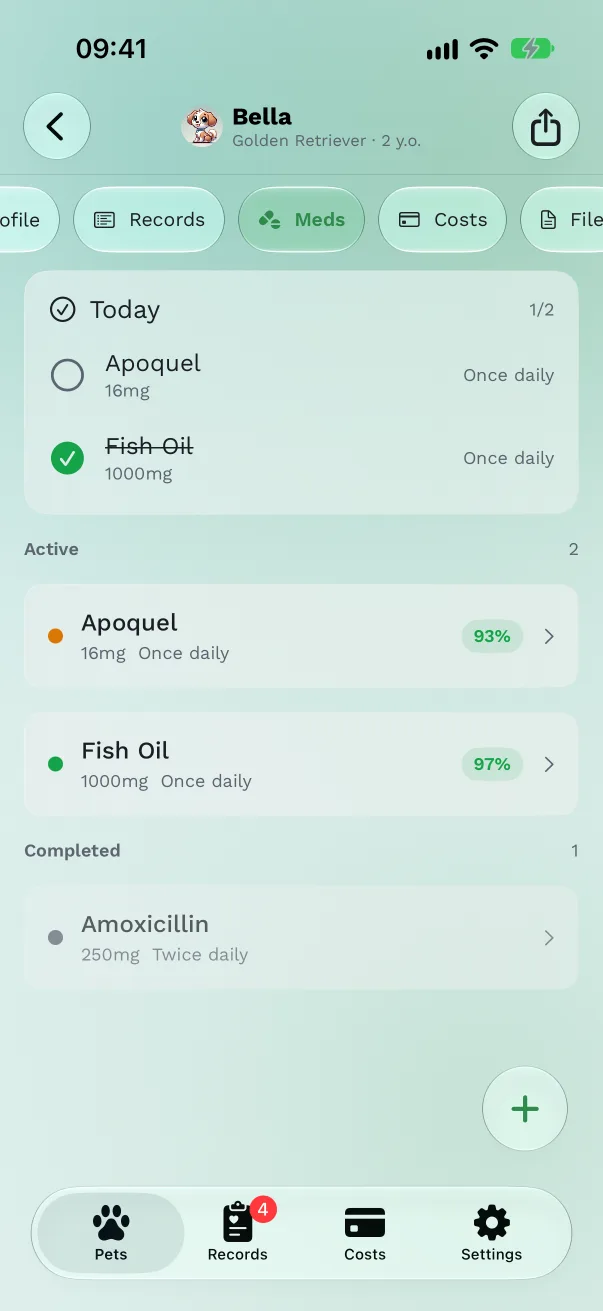
Check off a dose. On the Today card at the top of Meds, tap the circle beside the medication. Twice-daily meds show 1/2, then 2/2.
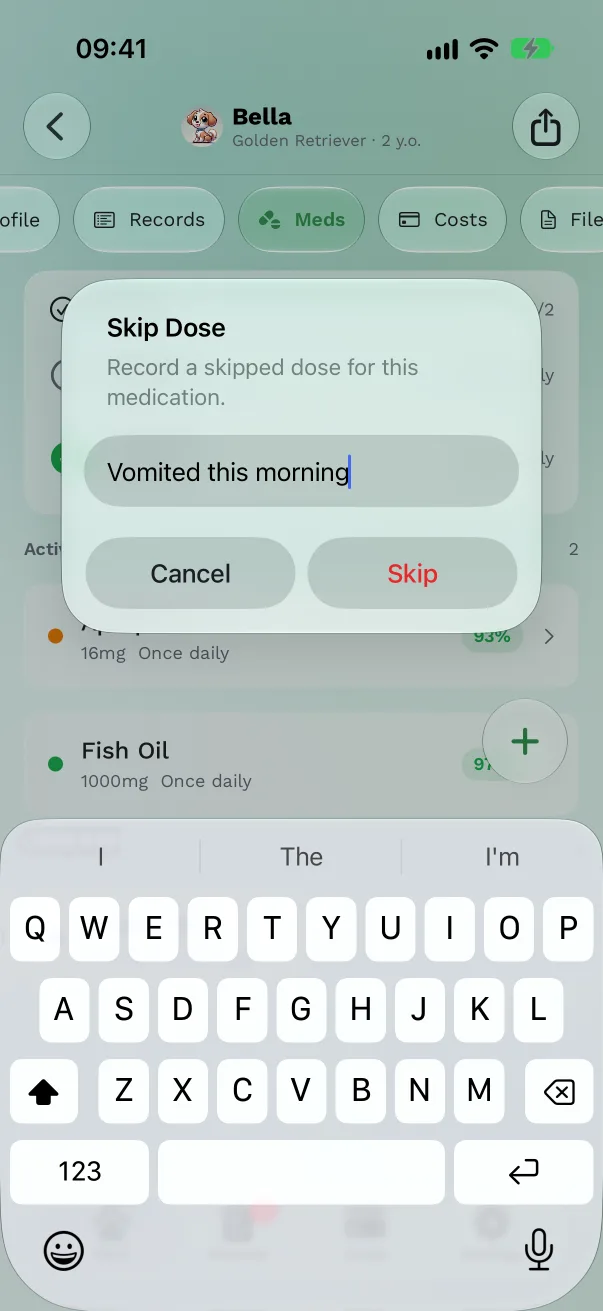
Skip a dose. Touch and hold the medication, choose Skip Dose, and add a reason if you want ("vomited", "vet said pause"). It's recorded as skipped, not missed.
Pause or stop. Touch and hold, then Stop Medication. Resume Medication brings it back with its reminder. A course that has ended can be extended with Extend.
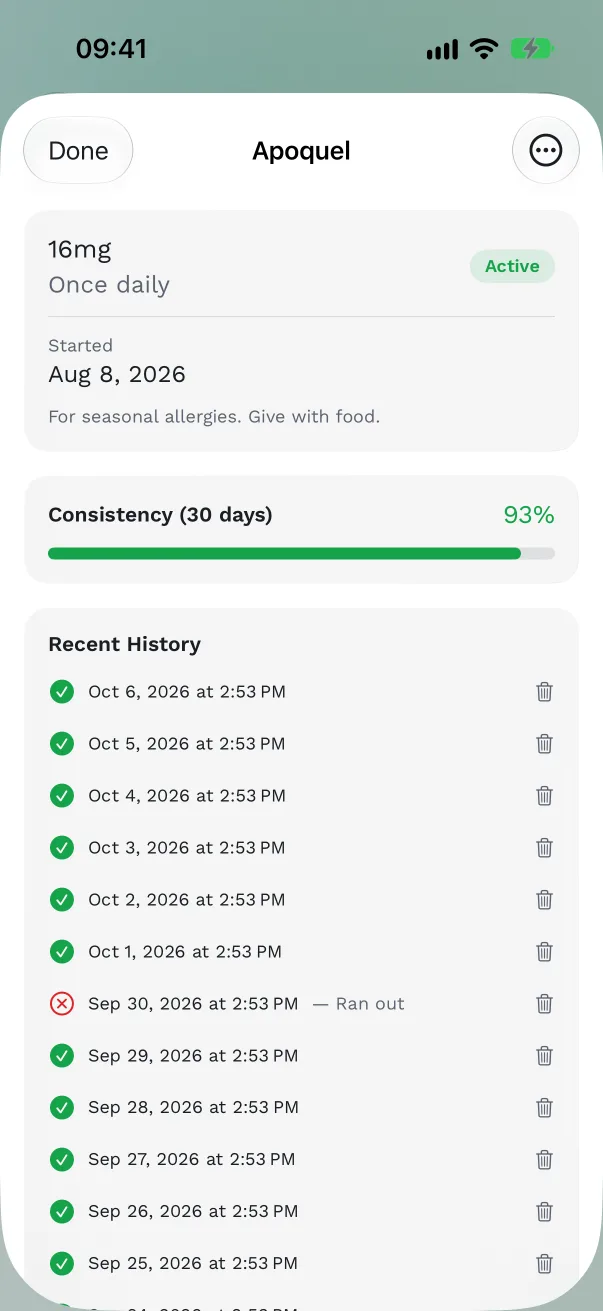
See how it's going. Tap a medication: Consistency (30 days) shows the share of doses given, and Recent History lists each one.
Other ways to log a dose
- Mark as Done on the reminder notification logs one dose, for the day it was due.
- The Today's Care widget and the Apple Watch have a check button beside each dose due.
- Mark dose on the pet's Today tab jumps to Meds.
Free or Pro
Medications are part of Pro. Without it the Meds tab shows a Pro badge.
Good to know
- A monthly medication started on the 29th, 30th or 31st falls on the last day of shorter months.
- No reminder is ever set before the start date.
- A deleted medication waits 30 days in Settings → Recently Deleted.
- Ask your vet what's right for your pet.
Get Pet Health+
Free to start, no account. For iPhone, iPad and Apple Watch.