Backup, restore and a new iPhone
Everything in one file, made automatically, with a passphrase if you like.
Your pets sync through your own iCloud, so a new iPhone signed in to the same Apple Account gets them on its own. A backup is the second copy: one file with every pet, record, medication, note, expense and document, that you can keep, send or restore.
Steps
Open Backup & Restore. Go to Settings → Backup & Restore.
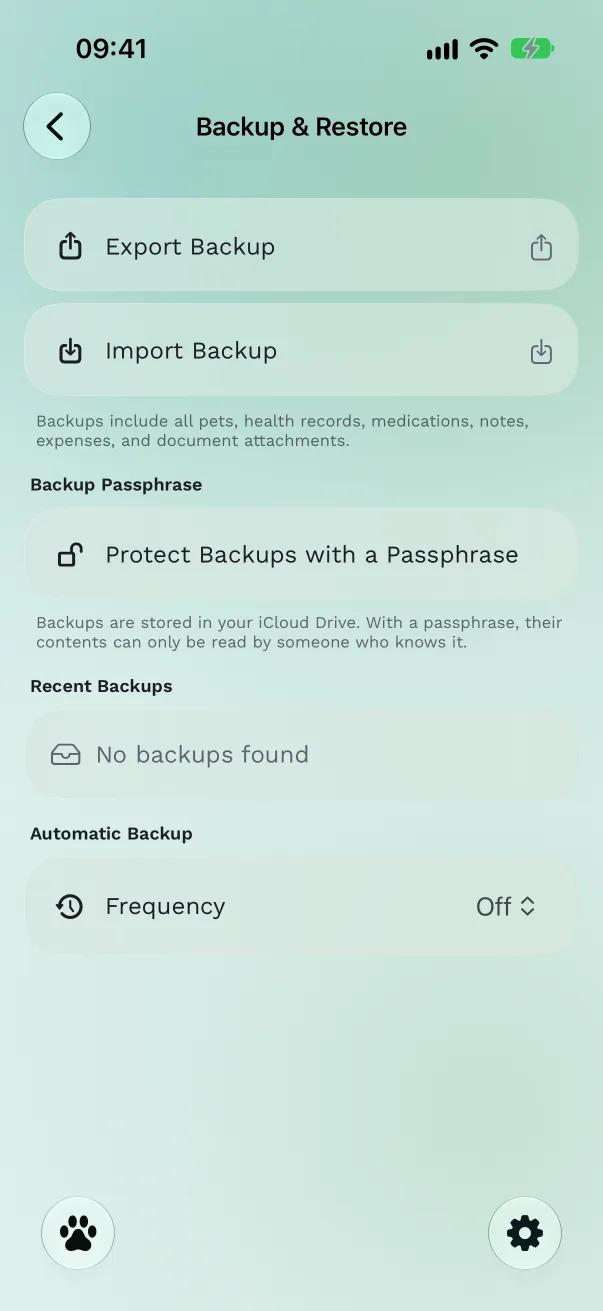
Turn on automatic backups. Under Automatic Backup, set Frequency to Daily or Weekly. Last Backup shows when the latest one was made. The app keeps the five most recent automatic backups.
Make one now. Tap Export Backup. You'll see "Backup Created" and the share sheet, so you can also save the file to Files, AirDrop it or email it to yourself.
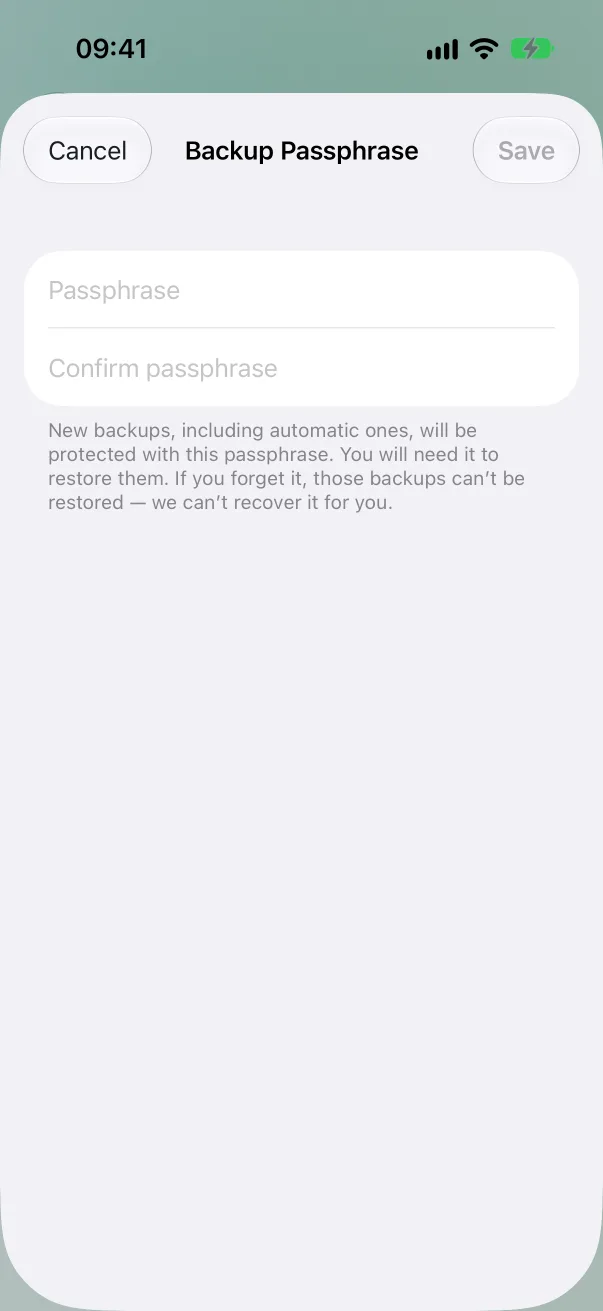
Protect it with a passphrase (optional). Tap Protect Backups with a Passphrase, type at least 8 characters twice, and save. From then on, every new backup, automatic ones included, can only be opened with that passphrase.
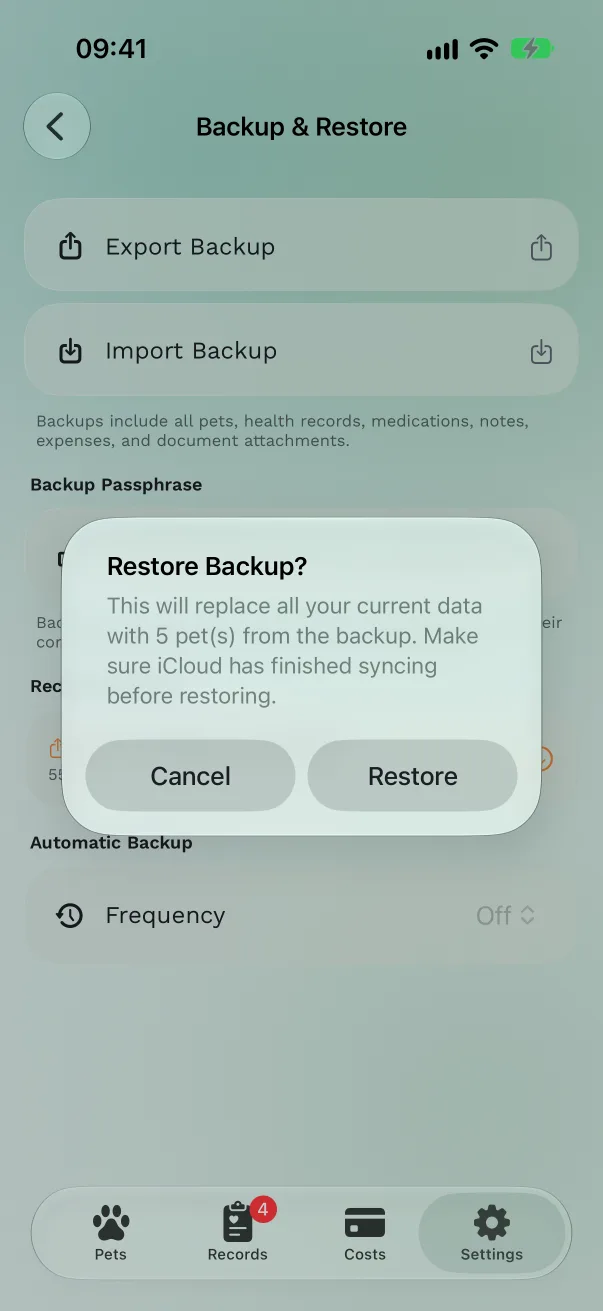
Restore. Tap a backup under Recent Backups, or Import Backup to pick a file from Files. Confirm Restore. For a protected backup, type the passphrase and tap Unlock. You'll see "Restored 2 pets".
Free or Pro
Backup and restore are free, automatic backups and passphrases included.
Good to know
- A restore replaces what's in the app with what's in the backup. Wait until iCloud has finished syncing before you restore, so nothing newer is lost.
- Forgotten passphrase: we can't recover it, and backups made with it can't be opened. Removing the passphrase only affects new backups.
- A backup with no pets in it never replaces the pets you have: the app refuses and says "Restore failed — your data is unchanged".
- Backups live in your iCloud Drive, in the app's folder. Files are named with the date, for example
PetHealth_Backup_2026-10-07_093000.pethealth.
Moving to a new iPhone
On the old iPhone, check that iCloud is on for Pet Health+ in Settings → [your name] → iCloud.
On the new iPhone, sign in with the same Apple Account, install Pet Health+ and open it. Your pets arrive within a few minutes.
If they don't, or you're moving to a different Apple Account, export a backup on the old phone, AirDrop it, and use Import Backup on the new one.
Get Pet Health+
Free to start, no account. For iPhone, iPad and Apple Watch.